5 Reasons to Learn to Code

In today's fast-paced digital world, coding serves as the underlying framework that drives nearly every convenience and system around us. Whether it is turning on smart lights in a living room, navigating traffic, or utilizing automated payment meters to park a car on a busy city street, computerized systems silently govern everyday routines. Behind every single one of these automated actions sits a structured set of instructions designed, refined, and implemented by someone who took the time to study programming.
Because software influences how people communicate across continents, travel between destinations, conduct business, and manage households, understanding the mechanics of code offers a rare window into the modern landscape. Developing basic programming literacy does not require you to leave your current career or spend years in a specialized computer science program. Instead, acquiring core programming concepts shifts your role from a passive consumer of technology into an active participant who understands the fundamental logic shaping our society.
Key takeaways
- Coding transforms complicated challenges into manageable, modular steps that apply directly to daily routines and personal finances.
- Acquiring technical literacy allows you to automate repetitive spreadsheet tasks, streamline office workflows, and save valuable time.
- Understanding programming principles strengthens job security by helping companies handle technical maintenance, such as webpage administration, in-house.
- Building your own software bridges the gap between imagination and execution while protecting proprietary app ideas from outside duplication.
- Programming functions as a creative, meditative craft where solving bugs delivers immediate satisfaction and intellectual stimulation.
The invisible engine behind modern daily life
Modern society is deeply integrated with sophisticated digital infrastructure. Most individuals interact with code from the moment their morning alarm sounds until they set their smart thermostat at night. When software permeates so many human activities, remaining completely unaware of how it operates leaves you dependent on tools you cannot inspect or influence. Learning to program lifts the veil on these everyday technologies, giving you a functional grasp of how digital tools execute human intentions.
Crucially, understanding basic code mechanics alters your mental relationship with computers. Instead of viewing software programs as impenetrable black boxes that either work or mysteriously break, you begin to see them as logical chains of cause and effect. This practical clarity demystifies technical hurdles, removes the intimidation factor associated with new devices, and equips you with foundational skills that can be leveraged across an enormous spectrum of personal and professional endeavors.
The foundational mechanics of how code works
At its heart, coding is an exercise in direct, unambiguous communication. Computers lack intuition; they rely entirely on precise, step-by-step instructions to perform any command, from calculating numbers to rendering interactive pages on a display. Writing code is the deliberate act of taking a human idea or process and translating it into a structured syntax that a machine can execute flawlessly.
Regardless of the specific programming language involved, nearly all software environments are built upon a shared set of fundamental logical concepts:
- Input and output: Programs accept data from an external source, evaluate and process that information against defined parameters, and deliver an outcome, such as updating a ledger or printing a line of text.
- Variables: These serve as named digital containers that store specific values, such as numbers, text strings, or data lists, allowing values to be retrieved, compared, or altered throughout a script.
- Conditions: Branching statements direct a program down specific logical routes depending on whether certain criteria evaluate to true or false.
- Loops: These repetitive commands instruct a system to cycle through a task multiple times across a dataset without requiring the author to write identical code repeatedly.
- Functions and scripts: Self-contained modules of logic handle specialized tasks, giving developers the ability to reuse clean blocks of code across diverse areas of an application.
Five compelling reasons to learn coding
Whether your goal is personal development, workflow optimization, or entrepreneurial discovery, studying software development provides significant tangible returns. The advantages go well beyond technical fluency, reshaping how you approach intellectual obstacles and creative endeavors.
| Reason | Primary Benefit | Everyday Application |
|---|---|---|
| Problem-solving | Modular thinking | Breaking personal debt or complex projects into manageable steps |
| Productivity | Workflow automation | Writing scripts to eliminate manual data entry in spreadsheets |
| Job security | Indispensable technical value | Managing website updates and routine technical troubleshooting internally |
| App creation | Creative independence | Building functional digital products without paying external contractors |
| Personal enjoyment | Meditative focus | Engaging in a creative hobby that exercises the mind like traditional crafts |
Reason 1: Mastering structured problem-solving
Coding trains your mind to assess a massive challenge, step back, and systematically deconstruct it into small, digestible components. When confronted with an intricate programming challenge or a confusing software defect, trying to tackle every element simultaneously produces overwhelm and chaos. Programmers learn to isolate individual variables, diagnose how distinct modules interact, and resolve errors one isolated piece at a time.
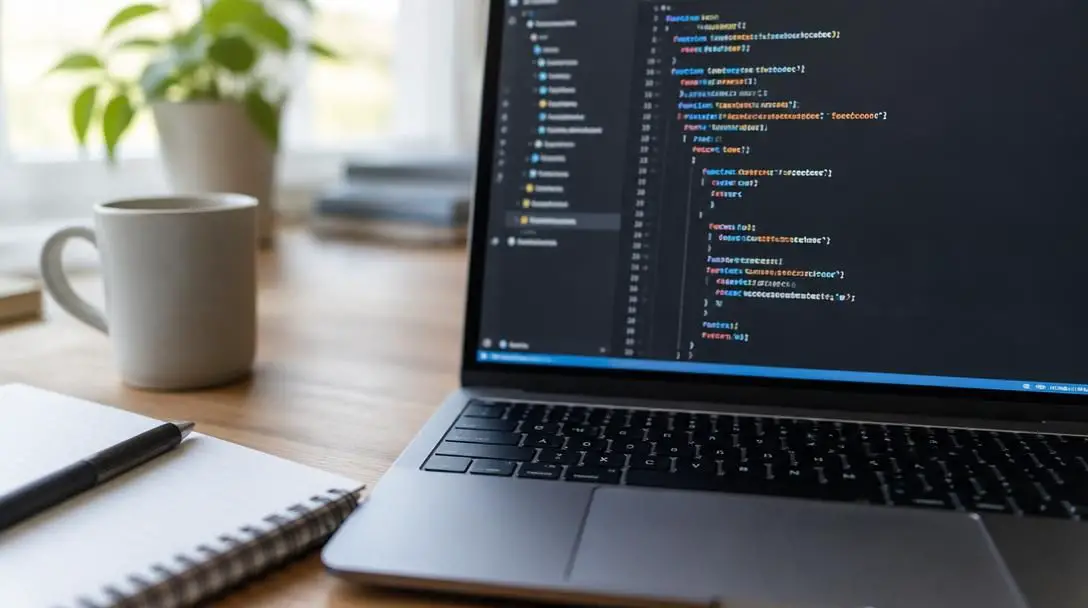
This disciplined, modular framework translates smoothly into everyday life, where personal and logistical dilemmas often appear insurmountable as an undivided whole. Consider managing personal finances: viewing a large sum of total debt can trigger anxiety. When viewed through the lens of programming logic, however, you naturally break that balance down into distinct units. You examine individual interest rates, establish step-by-step payoff schedules, and track incremental progress just as an engineer monitors functional modules inside an algorithm.
Reason 2: Dramatically improving your productivity
Acquiring software skills fundamentally changes how you organize everyday workflows and balance multiple obligations. As you grow accustomed to structuring processes for computers, you train your brain to identify bottlenecks, streamline repetitive motions, and spot practical opportunities to multitask during your regular workday.
In addition to cognitive benefits, coding gives you the practical technical capacity to automate tasks you currently execute by hand in programs like spreadsheets. Countless office workers spend valuable hours copying and pasting records between windows, reformatting tabular data, or calculating repetitive formulas. Writing simple scripts enables you to combine these disparate operational steps into a single automated pipeline, saving substantial working hours, mitigating human errors, and preserving pristine data integrity across all files.
Reason 3: Strengthening your professional job security
Gaining even entry-level programming skills can quickly make you the most dependable and sought-after resource in your professional workplace. Many non-technical team members feel uneasy when dealing with system errors or configuring digital tools. Being the coworker who can comfortably read a script, diagnose a minor bug, or alter an existing template brings instantaneous, measurable value to your team.
Possessing technical literacy demonstrates to organizational leaders that you are clever, adaptable, and dedicated to learning new proficiencies. Furthermore, having internal staff who can take on webpage administration, content updates, and routine technical maintenance allows businesses to internalize tasks that were previously outsourced to high-cost outside agencies. By directly saving your company money and solving immediate technical issues, you establish yourself as an indispensable asset eligible for higher compensation and promotional advancement.
Understanding how code operates shifts your role from merely being a consumer of technology to understanding the basic mechanics that govern digital tools.
Reason 4: Turning creative ideas into working applications
Millions of people dream up inventive ideas for games, helpful organizational tools, or unique online services, but turning those ideas into working products remains the ultimate hurdle. You could possess the creative genius of Steve Jobs, but an idea remains an unfulfilled concept if you lack the technical means to construct it. Software development serves as the direct link connecting pure imagination with a tangible product that functions on a screen.
When you have the ability to program, you can build an application entirely on your own terms. Developing your own software eliminates the staggering financial costs associated with hiring outside software consultants, who frequently charge thousands of dollars just to deliver a minimal prototype. Furthermore, writing the application yourself means you do not have to share proprietary concepts or sensitive business plans with external parties before launch, safeguarding your original work against unwanted imitation.

Reason 5: Discovering a creative and engaging craft
Far from being a dry or purely clinical exercise, programming is a deeply artistic medium. Designing a clean digital architecture, establishing an intuitive interface, and assembling an interactive universe out of nothing more than lines of text requires genuine creativity. There is a deep, singular satisfaction in writing code, initiating the runtime process, and observing an interactive program function exactly as planned.
Coding is an activity that can be enjoyed quietly on the couch in front of the television, much like an older relative might sit and knit a sweater. It provides a focused, tranquil, and mentally engaging outlet that requires nothing more than a standard computer. It quickly becomes an addictive hobby because each resolved error and passing test triggers an immediate sense of accomplishment. Because technology constantly evolves, coding presents a lifelong pursuit where there is always an exciting new concept, framework, or technique waiting to be learned.
Step-by-step roadmap to start programming
Embarking on your coding journey can feel intimidating due to the vast sea of tools, languages, and technical jargon. Following an orderly, phased plan prevents confusion and builds lasting programming confidence.
- Identify your primary interest: Pinpoint exactly what you hope to build first. If you want to customize company websites or build visual interfaces, explore webpage administration basics like HTML, CSS, and elementary scripts. If your priority is optimizing office files, focus on scripting tools and automated spreadsheet formulas.
- Set up a distraction-free workspace: Install a clean, reliable text editor on your personal machine, create a structured folder structure for your practice projects, and build a quiet, dedicated environment where you can work through code lessons without interruption.
- Focus on core fundamentals first: Spend sufficient time mastering foundational logic—such as variables, conditional statements, iterative loops, and basic data collections—before attempting complex applications. These principles apply to virtually every modern language.
- Build small, functional projects: Translate theoretical principles into working programs by assembling bite-sized projects. Create a simple balance calculator, a step-by-step personal budget script, or a basic static website dedicated to your favorite hobby.
- Deconstruct and rebuild: Examine open-source, beginner-friendly code authored by other developers. Break the instructions apart line by line to determine their function, introduce deliberate alterations, and observe how those adjustments alter the final output.
Frequent stumbling blocks to steer clear of
Novice programmers regularly run into predictable roadblocks that can derail their initial enthusiasm. Recognizing these common traps helps you maintain your momentum and avoid unnecessary frustration:
- Trying to learn everything simultaneously: Attempting to juggle three or four programming languages at once scatters your focus. Pick one accessible language or system and stick with it until basic computational logic feels second nature.
- Copying without understanding: Pasting pre-written code snippets from forum posts into your files without studying them gives a false sense of progress. Always inspect every line to identify precisely how it contributes to the final result.
- Treating syntax errors as failures: Code fails frequently, even for industry professionals. An error alert is not an indictment of your intelligence; it is simply a diagnostic guide indicating where a typo, syntax misstep, or missing bracket exists.
- Overlooking plain logic: Sitting down to write code before planning your system often results in tangled, unreadable scripts. Sketch out the steps on a pad of paper first to clarify the sequence before typing.
- Neglecting regular practice: Coding is a muscular mental habit akin to playing a musical instrument. Practicing in brief twenty-minute sessions multiple times a week builds far greater retention than a sporadic marathon once a month.
Deciding what to build and explore next
Once you are comfortable with elementary problem-solving, formula automation, or straightforward web maintenance, evaluate where you want your new skills to carry you. The practical path you choose will highlight the exact tools and frameworks you should prioritize next.
Begin by surveying your existing workplace. Talk with colleagues to find repetitive operational roadblocks that consume hours of manual effort. Developing lightweight scripts to clean up files or automate routine reporting will highlight your ingenuity, protect your professional value, and provide measurable workflow enhancements for your colleagues. If your goal centers around building independent products, draft concrete outlines and UI sketches for the app you envision. By learning to code, you take command of your own ideas, translating abstract concepts into dependable digital tools while gaining an intimate understanding of the systems that run our world.
Frequently asked questions
Do I need to leave my current job to learn programming?
No. Learning to code does not require abandoning your current profession or spending decades studying computer science. The basic principles can be learned gradually in your spare time and applied directly to your current workplace to automate tasks and improve your existing workflow.
How does learning to code help with everyday problem-solving?
Coding trains you to break large, intimidating challenges down into smaller, modular parts. This systematic approach can be applied directly to everyday difficulties, such as organizing a personal debt payoff schedule or tackling multi-stage household projects piece by piece.
Can learning code help my current standing with my employer?
Yes. Knowing even basic coding can establish you as the go-to technical resource in your office. It demonstrates resourcefulness to management and can allow your company to save money by handling outsourced tasks, like webpage administration and maintenance, in-house.
Why is it beneficial to build your own application instead of hiring someone?
Building your own app saves significant money that would otherwise go to external developers. In addition, it allows you to retain total creative freedom and keeps your proprietary concept completely private until you are ready to launch.
What should I do when my code produces an error message?
Do not view error messages as signs of personal failure. System errors are diagnostic clues designed to point directly to syntax mistakes, missing characters, or flaws in logical flow so that you can isolate and fix them.
The bottom line
Code is the silent architectural scaffolding supporting modern life, governing everything from personal entertainment to workplace workflows and metropolitan transit. Embracing programming does not mandate becoming an enterprise software architect; it simply requires a willingness to investigate how digital instructions operate under the surface. By taking the time to learn foundational coding principles, you gain practical problem-solving tools, open doors to enhanced workplace value, unlock creative expression, and take full control of your relationship with modern technology.