5 Reasons To Learn To Type Properly
Keyboards have become one of the primary tools through which human beings communicate, create documents, conduct business, and study. Yet despite how central the keyboard is to everyday modern life, formal instruction is frequently skipped or forgotten over time. As a result, countless computer users rely on makeshift habits, whether that means hunting and pecking with index fingers, leaning excessively on a single hand, or constantly toggling their eyes between the keycaps and the screen.
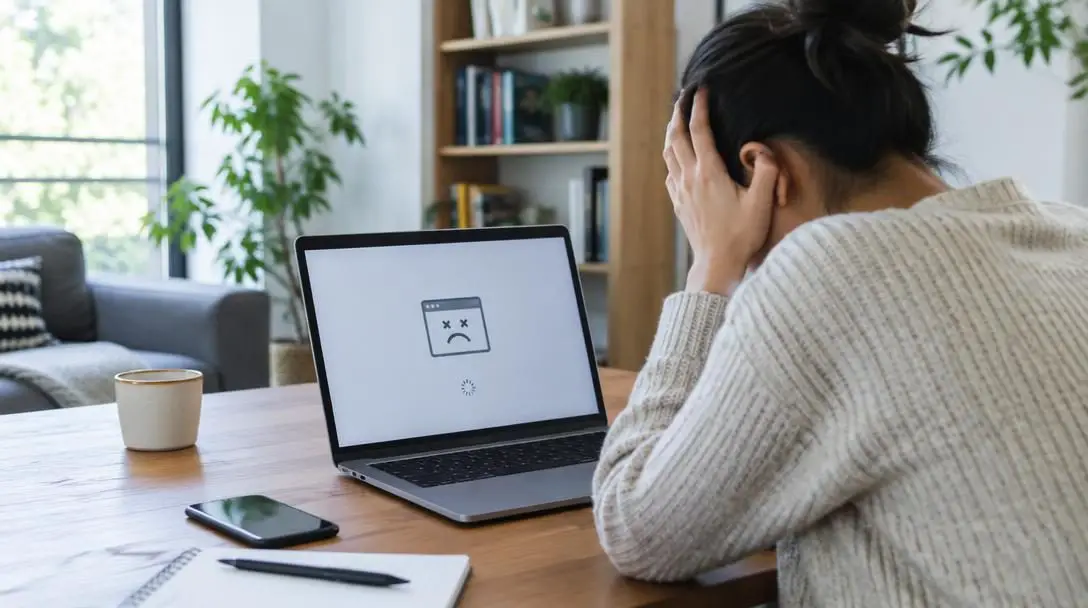
While makeshift techniques might feel adequate for casual browsing, they introduce ongoing friction into every digital task. Relying on inefficient finger movements limits how rapidly you can express thoughts, elevates typing error rates, and creates unnecessary physical fatigue. Transitioning toward proper touch typing redistributes the physical effort across both hands, allowing you to interact with technology in a way that is sustainable, comfortable, and highly productive over the long run.
Key takeaways
- Touch typing anchors your hands to the home row keys, relying on tactile muscle memory rather than visual hunting.
- Mastering proper finger mechanics saves substantial time across remote work, administrative tasks, and academic assignments.
- Gamers benefit directly from keyboard familiarity, utilizing muscle memory and finger dexterity shared with standard movement schemes.
- Correct typing technique protects personal health by maintaining upright posture, keeping the spine aligned, and preventing aches.
- Practicing deliberate finger reaches for ten to fifteen minutes daily builds cleaner habits than irregular, prolonged sessions.
The mechanics of touch typing and the home row
Proper typing is built on the principle of touch typing, a systematic method where every finger is assigned a specific zone on the board so that you never have to look down at your hands. Rather than searching for letters visually, the typist relies entirely on spatial awareness, tactile feedback, and finger coordination. This fundamental shift from visual guidance to tactile guidance transforms how a user interacts with a computer monitor, removing the constant mental break caused by looking back and forth between desk and display.
The foundation of this system is the home row, which is the middle horizontal strip of letter keys across a standard layout. When your hands rest in their neutral baseline position, the fingers of your left hand cover A, S, D, and F, while the fingers of your right hand rest over J, K, L, and the semicolon key. Keyboards are manufactured with small raised tactile bumps on the F and J keys to help users locate this baseline purely by feel without glancing away from the screen.
From this anchored home position, each individual finger reaches upward, downward, or laterally to strike its assigned sector before returning to its starting spot. The thumbs hover over the space bar, ready to act without disrupting the placement of the fingers. When all eight fingers and both thumbs operate in their assigned sectors, the workload is distributed evenly across the hands rather than placed squarely on two overworked index fingers. This coordinated movement allows your mind to translate thoughts directly into text on the screen, creating a continuous flow of communication.
How typing styles compare
Typists generally fall into distinct categories based on how they learned to navigate a keyboard. Comparing these approaches highlights why formal technique yields far superior long-term results over informal workarounds.
| Typing style | Finger involvement | Visual focus | Ergonomic impact |
|---|---|---|---|
| Hunt-and-peck | Primarily one or two index fingers | Glancing repeatedly down at keycaps | High neck and shoulder strain from constant bobbing |
| Asymmetric hybrid | Dominant hand does most work; non-dominant hand idles | Mixed gaze between keyboard and monitor | Uneven muscle strain and wrist fatigue on dominant side |
| Proper touch typing | All eight fingers and both thumbs assigned to specific zones | Fixed continuously on the display screen | Balanced muscular workload, neutral neck, and relaxed posture |
Relying on inefficient finger movements limits how fast a person can express their thoughts, increases error rates, and creates unnecessary physical fatigue.
Five core reasons to learn proper typing
Transitioning from informal typing habits to structured touch typing requires patience, but the benefits touch virtually every aspect of modern computer usage. Whether your daily focus is professional output, academic success, or leisure, mastering the board provides measurable advantages.
Make your job easier
Modern workplaces have shifted significantly, with more and more jobs offering partial or fully remote work-from-home positions. While working remotely provides a comfortable environment, staying focused outside of a traditional office setting can present serious challenges. Remote environments are filled with unique distractions, from household chores to irregular boundaries between personal time and professional hours. Learning to stay focused on the task at hand, as well as completing work efficiently and accurately, makes the workday run smoothly.
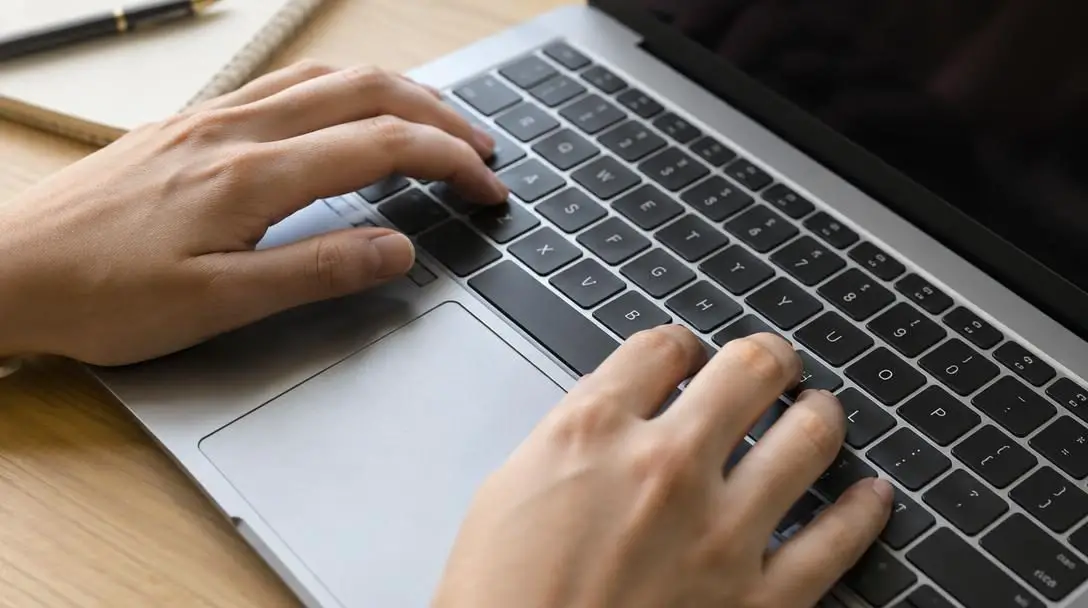
When typing is slow or cumbersome, drafting everyday emails, preparing administrative reports, and collaborating across digital workspaces turns into a tedious chore. Typing with precision and speed removes mechanical barriers, making work a far less daunting task. It is an extremely helpful tool everyone should have in their professional arsenal when working from home, allowing employees to finish projects on schedule and reduce everyday workplace friction.
School work
Alongside remote employment, more students than ever have the freedom to take classes virtually and complete coursework on personal home computers. For students attending in person, schools typically provide computers in classrooms and libraries as well. Technology has become a foundational component of modern education, regardless of whether a student attends lectures online or sits inside a brick-and-mortar facility.
Typing with increased speed and accuracy cuts down on hours spent in front of the computer, which is invaluable when spending multiple days or nights staring at a screen for academic credit. Academic success frequently hinges on writing lengthy essays, recording detailed notes during lectures, and completing extensive research projects. Getting through school assignments and papers more efficiently by practicing typing speed gives students more time for rest and other activities, helping prevent academic burnout and fostering a healthier balance between study and personal life.
Keep up with tasks and communications
Daily routines involve managing countless responsibilities and keeping in touch with expansive networks of friends, family, and community members. The best way to get through daily, weekly, or monthly obligations is to approach them in an organized and speedy fashion. Opening a word document or notepad application and typing out a well-structured to-do list allows you to accomplish planning faster while saving paper and correcting mistakes instantly.
Managing household responsibilities, planning events, and organizing personal projects becomes straightforward when you record thoughts as quickly as they come. Furthermore, if your daily tasks include keeping up with friends and family, fast typing skills let you send thoughtful messages to loved ones without monopolizing your day. Quick text updates, heartfelt emails, and community correspondence can be wrapped up in minutes rather than stretching across hours.
Gaming
Nearly everyone plays games of some kind, and a large percentage of that audience is made up of PC gamers. There are an estimated 1.75 billion PC gamers out there today. For titles that require a mouse and keyboard, or for players who simply prefer keyboard controls over handheld game controllers, typing fast is an extremely useful skill to master.
Every PC game relies on a specific set of keyboard controls, which often vary and can be customized by the player. Many games depend on standard key clusters like the WASD layout for movement, paired with surrounding hotkeys for actions, items, and communication. Most of these control configurations follow the exact same posture, hand placement, and finger reach principles required for efficient typing. Cultivating familiarity with finger reaching, muscle memory, and balanced hand usage improves your ability to react under pressure, communicate with teammates through in-game text channels, and execute complex commands effortlessly.
Improves posture and prevents aches
One frequently overlooked reason to learn proper typing technique is that it helps you maintain proper posture and keeps aches and pains at bay. Typists who hunt and peck constantly bend their necks forward to scan keycaps, pulling the upper spine out of natural alignment and placing severe strain on the neck, shoulders, and upper back. Looking up and down between desk and monitor hundreds of times each hour leads to tension headaches and upper body stiffness.
Using correct touch typing technique enables you to type fast and efficiently while keeping your shoulders down, feet flat on the floor, arms resting at the base of the keyboard, and back straight, allowing your spine to sit in its natural curvature. By keeping your gaze fixed directly forward on the screen, your neck remains stable and your body stays relaxed. This physical ease supports long-term comfort across every aspect of your online life, helping you stay healthy and pain-free while working or relaxing.
Step-by-step guide to retraining your hands
Unlearning years of informal typing habits requires deliberate, step-by-step practice. Rushing through the transition will only cause you to revert to old habits when under time pressure.
- Arrange your workspace correctly before starting. Sit upright in a supportive chair with your feet flat on the floor, your shoulders relaxed and down, and your back straight so that your spine rests in its natural curvature.
- Place your fingers on the home row keys. Position the left fingers across A, S, D, and F, and the right fingers across J, K, L, and the semicolon key. Feel for the small tactile bumps on F and J with your index fingers to confirm alignment without looking down.
- Rest your thumbs lightly over the space bar. Choose whichever thumb feels most natural to depress the space bar, keeping the other thumb relaxed and ready nearby.
- Keep your eyes fixed firmly on the screen. Resist the urge to glance down at the keys. If you strike an incorrect key, use the backspace key to fix it, re-centering your index fingers on the home row bumps by touch alone.
- Practice dedicated finger reaching movements slowly. Train your index fingers to handle their home spots alongside the central columns (such as G, H, R, T, Y, U, V, B, and N), while your pinky fingers manage outer keys like Shift, Enter, and peripheral punctuation.
- Commit to short daily practice intervals. Dedicate ten to fifteen minutes every day strictly to accuracy rather than speed. Building consistent muscle memory through short sessions is far more effective than irregular marathons.
Common typing mistakes to avoid
Breaking ingrained habits can feel counterintuitive at first. Avoiding these common pitfalls will help keep your progress steady and prevent repetitive strain:
- Looking down at the keys during errors: Glancing at your hands every time you make a mistake interrupts the development of spatial muscle memory and resets your visual dependence.
- Prioritizing speed over accuracy: Trying to type rapidly before establishing correct finger paths reinforces inaccurate motor patterns and creates compounding errors.
- Relying on an idle hand: Permitting one hand to do all the heavy lifting while the other rests or only taps the space bar leads to severe muscular imbalance.
- Reverting to index-finger pecking: Striking keys with only two fingers forces your entire arms to jump frantically around the keyboard rather than letting individual fingers make short reaches.
- Slouching and neck craning: Bending your head forward to track your fingers strains cervical vertebrae, provoking tension headaches and back fatigue.
- Locking wrists at harsh angles: Resting your wrists heavily against sharp desk edges or bending them upward strains the carpal tunnel; keep your arms resting comfortably near the base of the board.
Frequently asked questions
Why are there small bumps on the F and J keys?
The raised tactile bumps on the F and J keys act as physical reference markers. They allow typists to quickly locate the home row baseline using their index fingers without needing to look away from the computer monitor.
How does proper typing technique prevent neck and shoulder aches?
Proper typing keeps your visual attention focused straight ahead on the monitor rather than shifting repeatedly down to the keycaps. This stops you from craning your neck, keeping the spine in its natural curvature and relaxing the shoulder muscles.
Can learning to type properly help with PC gaming?
Yes. PC games frequently rely on the keyboard for control, such as the standard WASD layout alongside action hotkeys and text chat. The finger independence, dexterity, and muscle memory gained from touch typing translate directly to better gaming performance.
How much time should I spend practicing touch typing each day?
Setting aside ten to fifteen minutes of deliberate practice each day is ideal. Short, focused sessions that prioritize accuracy over raw speed build clean muscle memory without causing mental fatigue or physical strain.
Will my typing speed drop when I first switch to touch typing?
Yes, a temporary drop in speed is completely normal as you abandon familiar hunt-and-peck shortcuts. Once your fingers adjust to their assigned home row zones, your speed will recover and quickly surpass your previous ceiling.
The bottom line
Keyboards remain our primary gateway for expressing ideas, managing professional projects, completing school coursework, and connecting with our communities. Continuing to use makeshift methods like hunting and pecking limits your throughput and introduces unnecessary physical strain into your daily routine. By taking the time to master the home row, keep your eyes on the screen, and sit with balanced posture, you remove mechanical friction from every hour you spend at the computer.
The transition to touch typing requires initial patience as your hands rewire their habits, but the rewards are immediate and permanent. Greater accuracy saves time on revisions, increased speed accelerates your workday, and ergonomic alignment protects your physical well-being. Invest in your keyboard mechanics today, and your future self will reap the benefits across every email, paper, game, and project you undertake.