5 Reasons You Should ALWAYS Use A VPN
If you have spent any time watching videos on YouTube or listening to popular podcasts, you have almost certainly encountered an advertisement for a Virtual Private Network. While these promotional reads frequently highlight digital privacy and cybersecurity, many listeners are still left wondering what a VPN actually does under the hood. What began as a complex enterprise protocol used primarily by corporate network administrators has rapidly transformed into an essential consumer utility. Today, casual web surfers, remote professionals, digital nomads, and media streamers rely on personal VPN software to navigate an increasingly regulated and monitored internet.
In the formative era of the consumer web, online browsing felt decentralized, vast, and largely unobserved. Over the past two decades, however, commercial tracking ecosystems, broadband surveillance, invasive corporate telemetry, and restrictive internet service provider policies have fundamentally reshaped the browsing landscape. Every query entered into a search bar, every streaming video requested, and every software utility downloaded leaves behind an identifiable trail. Recognizing that their private browsing patterns are routinely visible to broadband carriers, network administrators, and third parties on public networks, millions of users have turned to Virtual Private Networks to reclaim authority over their digital presence.
Key takeaways
- A Virtual Private Network encrypts your internet traffic and routes it through an intermediary server to mask your real IP address and physical location.
- Using a VPN prevents commercial streaming fragmentation by letting you bypass regional content blocks to find shows on international or free platforms like YouTube.
- Encrypted tunnels shield your sensitive data on unverified, password-free public Wi-Fi networks found in airports, cafes, and transit stations.
- Routing your connection through external servers prevents broadband providers from throttling speeds or penalizing your household for bandwidth-intensive activities.
- VPN software creates a distinct layer of separation between your workplace network monitors and your personal web activities during business hours.
How a Virtual Private Network Secures Your Connection
To grasp why personal privacy tools are so critical today, it helps to understand what transpires during a standard, unencrypted browsing session. Whenever your laptop, smartphone, or tablet requests a webpage, that request travels straight through your local router, enters your internet service provider's network pipe, and ultimately arrives at the web host hosting the destination site. Throughout this transmission, your device broadcasts a unique Internet Protocol (IP) address. This numeric label acts much like a physical return address on an envelope, revealing your broad geographic area and identifying your specific subscription to anyone inspecting the traffic along the route.
Because standard traffic flows openly through your service provider's infrastructure, the entities managing that pipeline possess complete visibility into the domains you visit, how long you stay connected, and how much data you consume. When you install and run a Virtual Private Network, that direct, transparent journey is completely restructured into a multi-phase secure sequence:
- Local Encryption: Before any raw data leaves your phone or computer, the VPN client software applies strong mathematical encryption, scrambling the payload into unreadable cipher text.
- Secure Tunneling: Your scrambled packets travel through your standard local network connection, but they are wrapped inside an encrypted digital tunnel routed directly toward a designated intermediary VPN server.
- Intermediary Forwarding: Upon receiving your connection, the remote VPN server decrypts your packets and forwards the initial web request to the target website on your behalf.
- Server-Side Masking: The destination website sees only the IP address and regional location of the intermediary server, completely obscuring your machine's true location and identity.
- Encrypted Return Trip: When the destination site serves the requested media or page, it sends the response back to the VPN server, which re-encrypts the response and pushes it back down the tunnel to your device.
The Five Core Reasons to Always Use a VPN
While the underlying cryptographic technology is undeniably sophisticated, the everyday motivations for adopting a Virtual Private Network are intensely practical. Whether you want to defeat streaming restrictions, protect personal financial details on the road, avoid broadband penalties, maintain baseline anonymity, or keep workplace IT administrators at bay, a VPN delivers distinct, tangible benefits across modern digital life.
A reliable Virtual Private Network establishes an unyielding digital boundary between your private life and the commercial entities profiting from your internet connection.
Access to Content
The fragmentation of the modern entertainment market has placed a tremendous financial strain on consumers. Between major platforms like Netflix, Hulu, Disney+, and an ever-expanding roster of niche streaming subscriptions, maintaining active accounts across every service simply to watch a single movie or television series has become remarkably expensive. A VPN offers an elegant alternative by granting users the flexibility to circumvent regional licensing restrictions.
Distributors frequently license television series and films on a country-by-country basis. A program locked behind a paid paywall in North America may be syndicated entirely for free on platforms like YouTube in parts of Europe or Asia. By simply switching your active VPN server to a region where that media is accessible without a paid subscription, you can access the content you want without continuously paying for supplementary services. Bypassing geographic boundaries remains one of the most compelling reasons casual web users embrace VPN technology.
Public Wi-Fi Safety
Public wireless hotspots are ubiquitous, offering convenient internet access across coffee shops, airports, hotel lobbies, and municipal transit stations. Unfortunately, that convenience comes with substantial security trade-offs. The overwhelming majority of public hotspots do not require a network password, meaning all traffic traversing the local airwaves is essentially broadcast in the clear to anyone connected to that same router.
Without encryption, malicious actors on the same local network can deploy packet sniffers to harvest unencrypted credentials, capture personal correspondence, and intercept active session tokens. This vulnerability poses an acute hazard for high-profile individuals, such as live streamers, journalists, and travelling professionals whose physical whereabouts or accounts might be specifically targeted. Running a VPN ensures that every piece of data leaving your machine is fully encrypted inside a private tunnel, rendering your network traffic unreadable to fellow patrons sharing the public link.
No More Throttling
Internet service providers have established a reputation for aggressively managing their customer base, frequently nickel-and-diming subscribers over data usage while enforcing artificial network limits. Many broadband carriers employ deep packet inspection to analyze subscriber traffic in real time. When they detect high-bandwidth consumption—such as 4K video streaming, file transfers, or competitive online gaming—they deliberately throttle your connection speeds or impose excessive penalty fees for crossing arbitrary data caps.
A VPN directly combats this practice by obfuscating the nature of your traffic. Because your provider can no longer differentiate between a high-definition video stream and a basic text document, automated bandwidth-shaping algorithms cannot selectively degrade your performance. Furthermore, by directing your connection through servers located in jurisdictions with robust internet infrastructure and consumer-friendly regulations, you can fly across the web at top speed without arbitrary provider slowdowns.
Staying Anonymous
Achieving meaningful privacy on the modern web involves far more than simply hiding your activities from your broadband carrier. Search engines, marketing networks, data brokers, and web hosts actively track your movements across disparate platforms by cataloging your unique IP address. Over time, these entities construct sophisticated digital dossiers detailing your personal interests, purchase intentions, physical routines, and political leanings.
By routing your browsing through a Virtual Private Network, you achieve peak anonymity across the open web. The destination servers you communicate with never record your actual hardware address or residential IP; they only see the rotating, shared IP address assigned by the VPN server location you selected. This creates an impassable barrier between your real-world household identity and your personal web history, ensuring your browsing habits cannot be traced directly back to your physical door or mobile hardware.
Don't Let the Boss See You
Modern enterprise environments and workplace IT departments possess sophisticated surveillance tools. If you use a computer or mobile device connected to an office local network, there is a very high probability that network administrators can observe every website you request, every background service running, and every file transfer executed during work hours. Even seemingly innocent actions, such as browsing professional job boards like LinkedIn during a schedule lull, testing a new Chrome extension, or playing a quick browser game during lunch, are routinely logged by internal monitoring consoles.
Deploying a personal VPN on your connection prevents network-level inspection from capturing your personal browsing history. While an employer-owned machine may still feature local endpoint logging software, using an encrypted VPN tunnel over workplace Wi-Fi ensures the internal network gateway cannot catalog the domains you visit or read your personal communications. This preserves your essential privacy rights and keeps career transitions or private interests shielded from administrative scrutiny.
| VPN Benefit | Primary Problem Solved | Key Technical Mechanism | Typical User Scenario |
|---|---|---|---|
| Access to Content | Regional licensing blocks and fragmented subscriptions | Digital IP relocation across international boundaries | Finding paywalled series on free YouTube country portals |
| Public Wi-Fi Safety | Packet sniffing and eavesdropping on open routers | End-to-end encrypted packet encapsulation | Logging into personal accounts at airport or cafe terminals |
| No More Throttling | Carrier-imposed speed caps and selective bandwidth shaping | Data payload obfuscation preventing traffic classification | Bypassing ISP slowdowns during data-heavy streaming |
| Staying Anonymous | Commercial tracking dossiers linked to physical residences | Intermediary IP replacement and location masking | Preventing data brokers from tracing queries to your home |
| Workplace Privacy | Intrusive corporate IT network surveillance and logging | Secure tunnel routing traffic past internal gateways | Checking LinkedIn or personal tools on company networks |
Step-by-Step Guide to Setting Up a VPN
Configuring a Virtual Private Network does not demand an advanced degree in network administration. Modern developers have simplified the deployment process so that standard desktop users, mobile owners, and casual media viewers can establish an encrypted tunnel within minutes. Follow these practical steps to secure your hardware:
- Select an established VPN provider: Choose a trusted service that supports all your primary hardware environments, including desktop computers, laptops, tablets, and smartphones.
- Download the native software: Secure the official client application directly from the provider's verified web portal or your hardware platform's native mobile application store.
- Install and authenticate: Complete the installation wizard on your machine, open the software, and sign in using your account credentials.
- Configure basic protection settings: Navigate to the client preferences menu. Ensure essential features—such as automatic startup upon system boot and default packet encryption—are enabled.
- Select an appropriate server: Open the geographical server list. If your goal is bypassing regional licensing restrictions, select a country hosting that specific content; if you prioritize raw connection speed, pick a server geographically close to your real physical location.
- Establish the encrypted tunnel: Click the primary connect button and monitor the user interface until the status indicator confirms the secure connection is active.
- Browse without exposure: Open your standard internet browser and explore the web freely, confirmed that your real IP address is concealed behind the chosen server destination.
Common Pitfalls and Mistakes to Avoid
While Virtual Private Networks provide immense defensive utility, treating them as an infallible shield can lead to careless digital hygiene. Users frequently make critical assumptions that undermine the software's structural protections. Avoid these common errors when integrating a VPN into your daily workflow:
- Neglecting account-level hygiene: An encrypted network pipe prevents network monitoring, but it does not protect you if you voluntarily submit personal credentials to unverified phishing portals or download suspicious, untrusted files.
- Failing to re-engage after network disconnects: VPN tunnels can momentarily disconnect during network transitions. Forgetting to verify that your VPN client has automatically re-established its tunnel leaves your standard traffic fully exposed to your broadband carrier.
- Browsing while authenticated to personal accounts: If you connect to an anonymizing foreign server but remain actively logged into corporate search accounts or social media platforms that know your real name, platforms can instantly tie your masked session back to your actual digital identity.
- Choosing geographically distant servers unnecessarily: Routing your connection halfway across the globe introduces significant latency. Selecting extreme server distances for routine local tasks causes unnecessary buffering and sluggish page rendering.
- Overlooking silent connection drops: If your client lacks a built-in fail-safe mechanism, a dropped tunnel may cause your operating system to silently revert to your default unencrypted internet gateway, suddenly exposing your true IP address without warning.
Broadening Your Network Protection Strategy
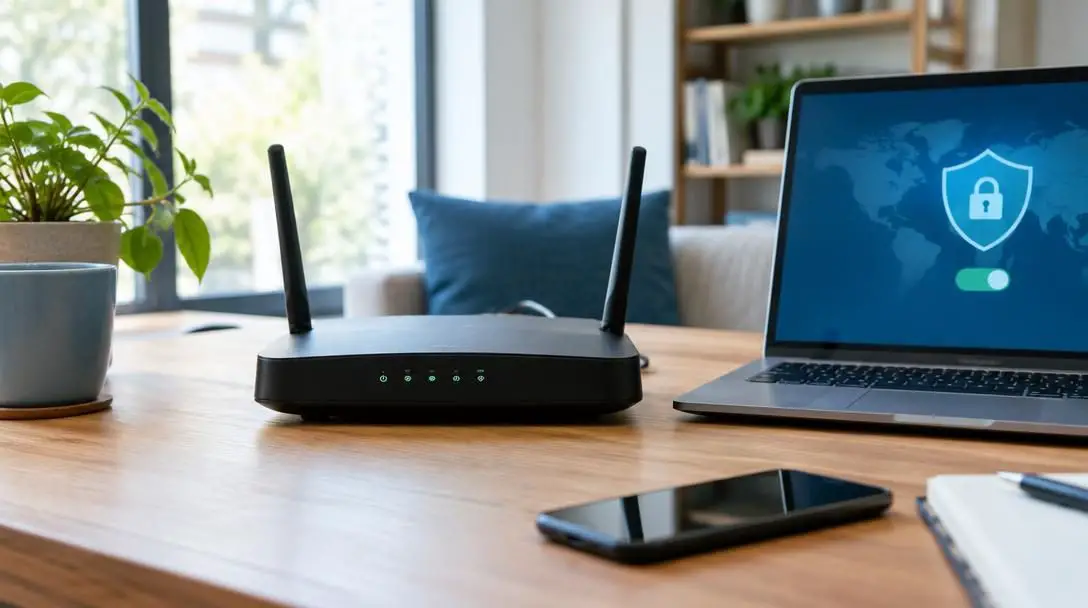
Once you have incorporated a VPN into your primary laptop or personal smartphone, consider extending those protections across the rest of your connected hardware. In the modern household, an array of internet-connected appliances—including smart televisions, streaming media dongles, and gaming consoles—continuously transmit telemetry and consume digital bandwidth. Connecting these ancillary devices through a VPN-enabled router ensures network-wide encryption across every appliance under your roof.
Additionally, take time to evaluate your connection performance under differing conditions throughout the day. Bandwidth availability can fluctuate significantly based on peak usage hours and international time zones. By testing diverse server locations, you can curate a list of high-speed servers optimized for streaming platforms like Netflix, Hulu, and YouTube without encountering unwanted buffering delays. Systematically monitoring your connection speeds empowers you to maintain an ideal balance between ironclad security, personal privacy, and top-tier streaming performance.
Frequently asked questions
Does using a VPN make me completely invisible online?
A VPN provides peak anonymity by masking your true IP address and encrypting your traffic, meaning observers cannot track your physical home or mobile device from your connection. However, if you log into identifiable personal profiles or download malicious files, websites and services can still identify you through your account credentials.
Can my internet service provider tell that I am using a VPN?
Yes. Your broadband provider can see that your machine is transmitting encrypted packets to a single remote server address. However, they cannot decipher the payload, inspect the specific web pages you browse, or identify the individual video streams you access.
Why do some streaming platforms block content in certain countries?
Media companies sell distribution and broadcasting rights on a territorial basis. Because of these geographic contracts, platforms like Netflix, Hulu, and Disney+ restrict specific movies or series to selected countries, prompting users to employ VPNs to access those titles elsewhere.
Does running a VPN slow down my browsing speed?
Because your traffic must undergo mathematical encryption and travel through an intermediary server, some latency can occur. However, connecting to a nearby server minimizes speed drops, and using a VPN can actually prevent artificial throttling imposed by your broadband provider.
Can a VPN protect my activity on an employer's network?
Using a VPN on workplace Wi-Fi conceals your browsing requests from the company router and network gateway, keeping activities like browsing LinkedIn private. However, if your employer has installed monitoring software directly onto a company-owned computer, a VPN cannot prevent local endpoint tracking.
The bottom line
The transition from an open, unmonitored web to a commercialized ecosystem defined by broadband monitoring, data caps, workplace surveillance, and fragmented streaming rights has made personal defensive tools an everyday necessity. By establishing an encrypted tunnel that routes your connection through an intermediary server, a Virtual Private Network conceals your true location, protects unverified public Wi-Fi transmissions, and stops internet service providers from arbitrarily slowing down your high-bandwidth entertainment. Embracing simple operational practices and avoiding common digital hygiene pitfalls ensures you can browse, stream, and communicate with enduring privacy and freedom.