The Art Of The Perfect Gif

When the graphics interchange format made its public debut in 1987, few observers could have anticipated how deeply it would permeate digital culture decades later. In the early era of consumer internet browsing, these looping animations served primarily as quaint, flickering novelties. Constrained by dial-up internet connections and rudimentary hardware processing power, early animated graphics were kept small out of strict technical necessity, frequently appearing as tiny decorative icons or animated "under construction" page banners on personal home pages.
Today, the medium has evolved into an established digital art form and a primary language of online communication. From high-volume workplace messaging channels to rapid-fire social media feeds, animated loops convey emotional nuance, comedic timing, and immediate reactions far faster than typed prose. While crafting an exceptional clip demands technical discipline and thoughtful editing, mastering the core principles of quality, timing, and context allows anyone to create loops that resonate effortlessly across the web.
Key takeaways
- Animated graphic loops have evolved from lightweight 1987 web novelties into a primary medium for nonverbal digital communication.
- High-fidelity animations rely on source resolutions of at least 480p, with 720p and 1080p providing pristine visual clarity.
- The ideal viral duration sits in a sweet spot between three and six seconds, leaning as close to three seconds as possible.
- Minimalist text overlays of one or two words consistently outperform wordy, cluttered captions.
- Overcoming the format's 256-color indexed palette limit requires careful dithering and custom palette allocation to prevent banding.
The Evolution from 1987 Novelty to Digital Art
The transformation of animated graphics over the past four decades reflects the broader evolution of personal computing and networking infrastructure. In the late 1980s and 1990s, transferring rich multimedia was virtually impossible due to narrow bandwidth limitations. As a result, early iterations relied on low frame counts, highly compressed color palettes, and miniature canvas dimensions. Users celebrated basic movements, such as a spinning globe or an animated flame, because consumer systems could handle little else.
As broadband connectivity replaced dial-up access and modern graphic processors became standard across desktop and mobile devices, the physical constraints on file size shifted dramatically. High-capacity networks made the concept of a file being "too large" largely obsolete for standard browsing experiences, giving creators the freedom to prioritize visual crispness. Online communities and dedicated forums emerged specifically to push the technical and creative limits of the medium. In these creator spaces, enthusiasts collaborate and compete to produce immaculate loops that deliver cinematic storytelling in mere seconds, transforming a legacy utility format into a recognized visual craft.
Inside the Technical Mechanics of the Format
Achieving crisp visual quality requires understanding how an animated graphics file operates under the hood. Unlike modern video files, such as MP4 containers that utilize complex temporal compression algorithms to stream changes between keyframes, an animated loop behaves like a digital flipbook. The container bundles a continuous series of individual static image frames. When rendered by a web browser or messaging client, the software cycles through those frames at a specified frame rate to simulate fluid motion.
Because the format was engineered in 1987, it remains bound to an indexed color architecture. Each frame can display a maximum of 256 distinct colors chosen from a broader color space. When a creator imports modern high-definition video containing millions of subtle shades, the encoding software must perform a mathematical compromise known as dithering. Dithering arranges adjacent pixels of available palette colors in dense patterns to simulate missing tones, gradients, and skin textures.
Without proper color management, complex visual elements like smooth smoke, shadows, or vivid sunsets suffer from severe posterization or harsh color banding. Advanced creators address this challenge by building specialized palettes tailored directly to the primary subject matter of the clip. By concentrating the available 256 colors on the most critical visual features, an editor can make an animation appear nearly indistinguishable from high-definition digital cinema footage.
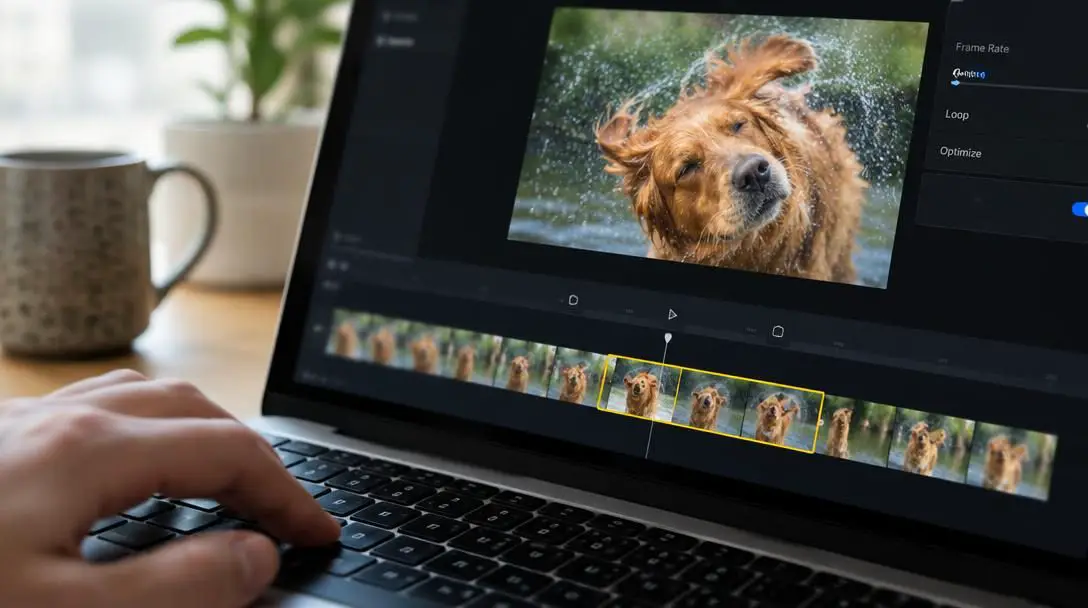
A well-timed reaction loop can convey emotional nuance and humor far faster than traditional text ever could.
The Three Foundational Pillars of Great Animation
Creating content that captures public attention requires balancing visual presentation with audience psychology. While millions of moving images circulate across hosting platforms like Giphy and Tenor, the examples that achieve lasting relevance consistently excel across three core dimensions.
High-Definition Resolution
While grainy or degraded clips occasionally gain viral traction through sheer comedic timing, pristine quality separates amateur captures from top-tier work. Modern audiences expect visual clarity matching their high-resolution smartphone and monitor displays. Top-performing animations generally source their footage from high-definition material at 480p, 720p, or 1080p resolution. A clean source prevents digital artifacts from compounding during the frame extraction process, ensuring that facial expressions, micro-movements, and lighting details remain sharp throughout the loop.
Cultural Context and Familiarity
Visual polish alone cannot compensate for a lack of narrative engagement. If a clip features an unknown subject performing an uninspired action, it rarely achieves widespread distribution. The most durable loops derive their power from established entertainment media, recognizable pop-culture figures, or iconic television scenes. Enthusiasts frequently take scenes from classic shows like Seinfeld or The Simpsons and recontextualize them to comment on unrelated modern topics such as professional football games or contemporary political developments. The familiarity of the character anchors the joke, while the new context makes it fresh.
Universal Emotional Resonance
The explosive adoption of short visual loops in everyday communication stems from their utility as emotional shorthand. Words frequently fall flat or read ambiguously in digital chat applications, but a carefully selected reaction conveys exact emotional nuance instantly. Search engines indexing media libraries categorize clips along a broad spectrum of human feeling, ranging from triumphant elation to quiet exhaustion. For example, clips of enthusiastic dancing deployed on a Friday morning capture a universal workplace anticipation that simple text announcements cannot replicate.
Frame and Quality Benchmarks
When preparing source video for conversion, selecting the appropriate resolution and management parameters directly influences the final presentation. Balancing fidelity against the technical limitations of indexed color ensures smooth performance across diverse viewing environments.
| Resolution Tier | Visual Fidelity | Color Management Needs | Primary Use Case |
|---|---|---|---|
| 480p Standard | Balanced clarity with modest file weight | Standard dithering handles gradients well | Quick mobile chat replies and low-bandwidth threads |
| 720p High Definition | Crisp, cinematic presentation of facial expressions | Requires customized palette to avoid visible banding | Social media feeds and high-engagement forum posts |
| 1080p Full High Definition | Studio-grade sharpness matching source monitors | Demands precise frame trimming and targeted palette | Showcase creator portfolios and dedicated art threads |
Pacing, Duration, and Text Restraint
In creator communities, some ambitious editors push boundaries by assembling intricate, narrative animations that extend for several minutes. While these lengthy projects demonstrate impressive technical stamina, they run counter to the needs of the broader internet audience. For everyday social sharing and reaction messaging, short runtimes reign supreme.

The recognized viral sweet spot for an animated clip is between three and six seconds, with veteran creators recommending that editors stay as close to three seconds as possible. Any animation shorter than a single second risks confusing the audience, as the human eye requires a brief window to register the physical action taking place. Conversely, dragging an animation out past six seconds tests the viewer's attention span and undermines the immediacy of the punchline. Furthermore, many dedicated host platforms enforce a strict maximum upload limit of 15 seconds, precluding excessively long files entirely.
Restraint must also guide the use of typography. While custom text overlays can transform a scene into a tailored commentary, excessive verbiage ruins the visual rhythm. The most enduring animations feature no text whatsoever, relying entirely on physical pantomime. When captioning is genuinely necessary, limiting the insertion to a single word or two—such as labeling an exuberant dance loop with the word "Friday"—reinforces the visual idea without cluttering the frame.
Step-by-Step Guide to Creating a High-Quality Loop
Transforming raw video into a seamless animation demands disciplined editing and careful export management. Following an orderly sequence prevents common compression errors and ensures smooth, natural playback across platforms.
- Identify high-definition source video. Select clean source material captured at 480p, 720p, or 1080p, prioritizing scenes featuring expressive character actions or widely recognizable cultural references.
- Trim the clip to the essential action. Isolate the core gesture and eliminate extraneous setup footage, adjusting the timeline so the total run time sits tightly between three and six seconds.
- Establish a natural loop point. Match the visual composition of the starting and ending frames as closely as possible to prevent a jarring cut when the player resets.
- Crop and resize the frame. Remove letterboxing, black bars, and distracting background clutter to center the viewer's attention directly on the primary subject.
- Apply optional text sparingly. If adding dialogue or thematic context, restrict the caption to one or two short words placed where it does not obscure key facial gestures.
- Optimize frame rate and color management. Generate a specialized 256-color palette based on the scene's key tones and apply gentle dithering to smooth out complex gradients.
- Export and test playback. Render the final container and preview the cycling animation across both mobile and desktop screens to verify smooth motion and crisp lines.
Common Production Mistakes to Avoid
Even creators equipped with modern digital video suites can produce underwhelming results if they disregard the specific presentation habits of web users. Avoiding frequent editing missteps helps elevate standard forum captures into polished visual commentary.
- Overloading the frame with sentences: Inserting full conversational lines forces the audience to read text rather than observe physical comedy, ruining the comedic timing.
- Selecting obscure source scenes: Clips featuring private jokes or unrecognizable figures fail to generate broad resonance, whereas familiar media properties invite immediate empathy.
- Letting the runtime drag out: Approaching the 15-second host platform ceiling causes viewer drop-off long before the intended punchline or gesture concludes.
- Neglecting source fidelity: Relying on repeatedly recompressed, low-resolution source clips results in muddy colors and severe artifacting on modern screens.
- Cutting the motion too abruptly: Trimming a scene under the one-second threshold denies the viewer sufficient time to process the movement or emotional change.
- Ignoring jarring jump cuts: Disregarding the transition between the terminal frame and the opening frame creates a stuttering loop that breaks the visual illusion.
Frequently asked questions
What is the ideal duration for an animated reaction loop?
The viral sweet spot for an animated loop falls between three and six seconds, with experienced creators aiming as close to three seconds as possible. Durations under one second are too fast for viewers to interpret, while clips extending toward the 15-second platform limit risk losing audience engagement.
Why do animated graphic files have color banding issues?
The format relies on a legacy 1987 architecture restricted to an indexed palette of just 256 colors per frame. When high-definition footage containing thousands of subtle gradient shifts is converted, software must use dithering algorithms to blend available shades, which can produce banding across elements like sunsets or smoke if not properly managed.
Should I add subtitles or captions to my animations?
Captions should be used with extreme restraint. Clips with no words at all tend to enjoy the greatest universal appeal and longevity. When text is necessary to convey a joke or context, limiting it to one or two words keeps the frame uncluttered and highlights the physical reaction.
What source video resolution should I use?
For modern displays, source video should be captured at a minimum of 480p, though 720p and 1080p yield far superior visual clarity. Modern broadband speeds allow high-resolution files to stream without delay, eliminating the need to rely on tiny, low-quality source files.
Why are pop-culture scenes so popular for reaction loops?
Familiar entertainment figures from shows like Seinfeld or The Simpsons provide immediate context and narrative shorthand. Recontextualizing an established character's recognizable facial expression allows creators to deliver humorous or emotional commentary on everyday subjects effortlessly.
The Bottom Line
What began in 1987 as a low-bandwidth solution for static website decorations has transformed into one of the most expressive communication tools in modern digital culture. Crafting the perfect animated loop requires a disciplined balance of high-definition source video, careful navigation of the format's 256-color palette limitations, and strict adherence to a three-to-six-second runtime. By selecting universally recognizable cultural references, keeping text overlays to an absolute minimum, and establishing seamless loop points, creators can distill complex emotions and comedic observations into vibrant visual moments that resonate across the global web.