5 Reasons to Get a Smart Watch

Glance around any busy street, subway car, or office meeting, and you will almost certainly notice a substantial number of people wearing smart watches. For anyone who has not yet made the switch from a traditional wristwatch or who relies exclusively on a pocket-bound phone, a degree of skepticism is entirely understandable. When contemporary smartphones already function as handheld supercomputers capable of handling professional workloads, entertainment, communication, and scheduling, adding another battery-powered screen to your daily routine can easily feel unnecessary.
Yet wearable technology has continued to surge in popularity because it occupies a fundamentally distinct technological role. Rather than attempting to replace your primary mobile phone, a modern companion wearable works alongside it. By bringing specialized biological sensors, immediate physical inputs, and fine-tuned notification controls directly to your skin, a smart watch changes how you navigate digital demands, manage personal fitness, and respond to urgent safety issues throughout the day.
Key takeaways
- Continuous skin contact allows smart watches to capture biometric data like heart rate and oxygen saturation that handheld phones cannot replicate.
- Built-in hardware tools let you immediately locate misplaced smartphones or summon emergency response teams in sudden accidents.
- Wearable notifications allow you to monitor critical messages and emails discreetly without having to disrupt in-person interactions.
- Wrist-based turn-by-turn navigation uses subtle haptic vibrations to guide you through unfamiliar streets without keeping your eyes glued to a phone.
- Setting clear notification boundaries and ensuring a snug fit are essential steps to avoid alert fatigue and inaccurate health tracking.
The evolution from wristwatches to wearable computers
For centuries, the wristwatch existed as a purely mechanical tool designed to measure passing hours and minutes or serve as an item of personal jewelry. As digital circuitry matured in the late twentieth century, timepieces gained quartz precision, miniature LCD displays, digital alarms, and basic digital calculators. However, the modern wearable revolution began when engineers recognized that a wrist-worn gadget could pair wirelessly with a pocket computer.
Today, these devices are miniature, sophisticated computers. They run dedicated operating systems, drive responsive touch screens, and house miniature processors alongside an array of physical and biometric sensors. Because a smart watch maintains direct, uninterrupted contact with the human body throughout daily activities and rest periods, it operates in a physical domain where smartphones cannot compete. A phone spends much of its lifespan buried in a handbag, resting face-down on a desk, or tucked inside an insulated coat pocket. Moving computation and sensing directly onto your wrist unlocks an entirely different tier of real-time utility.
A companion wearable works alongside your smartphone to streamline daily tasks, monitor physical well-being, and provide vital assistance during sudden emergencies.
The 5 core reasons to adopt a smart watch
While wearable platforms continue to evolve with new software applications, prospective buyers generally adopt smart watches for five distinct, practical reasons. The following overview contrasts how each core capability transforms common daily routines:
| Reason to adopt | Primary hardware involved | Key real-world benefit | Operational mode |
|---|---|---|---|
| Health and fitness features | Optical biosensors, motion chips | Tracks heart rate, oxygen levels, and sleep stages | Continuous automated tracking |
| Find your device | Bluetooth, local Wi-Fi, haptics | Locates misplaced phones with an audible chime | On-demand activation |
| Get emergency help | Drop sensors, accelerometers, SOS software | Detects hard falls and dials emergency services | Automated monitoring and manual triggers |
| Stay connected | Wireless receiver, vibration motor | Filters urgent calls, texts, and emails quietly | User-configured filtering |
| Get directions | Integrated GPS, haptic engine | Provides turn-by-turn guidance right on your wrist | Active navigation assistance |
Health and fitness features
The primary reason many people invest in a smart watch centers on physical wellness and athletic tracking. Because the device sits flush against your skin, it can collect continuous biometric data that would be completely impossible to gather using a standard smartphone. Modern models integrate optical sensors that track your pulse around the clock, monitor blood oxygen saturation, and log overall physical activity levels as you move through your day.
Beyond tracking steps and daytime workouts, many smart watches can monitor ongoing sleep patterns, detailing periods of light sleep, deep rest, and specific REM cycles. Your wearable compiles these readings into long-term wellness reports. When shared with your personal physician, these continuous reports offer actionable, objective context that can help inform your broader health choices and preventative care plans.
Find your device
Almost everyone has experienced the frantic irritation of losing track of a smartphone. Whether the device slipped deep between sofa cushions, remained forgotten in the passenger seat of a car, or was left behind in an office conference room, searching for it can interrupt your schedule and cause unnecessary stress.
When your smart watch is linked to your phone over a wireless connection, finding your missing handheld device takes only a matter of seconds. By tapping a digital button on your watch face or using an integrated voice control command, you can prompt your paired phone to sound a loud audible alert, even if the phone itself has been placed on silent mode. This straightforward utility frequently saves time and spares you the hassle of tearing apart your living space.
Get emergency help
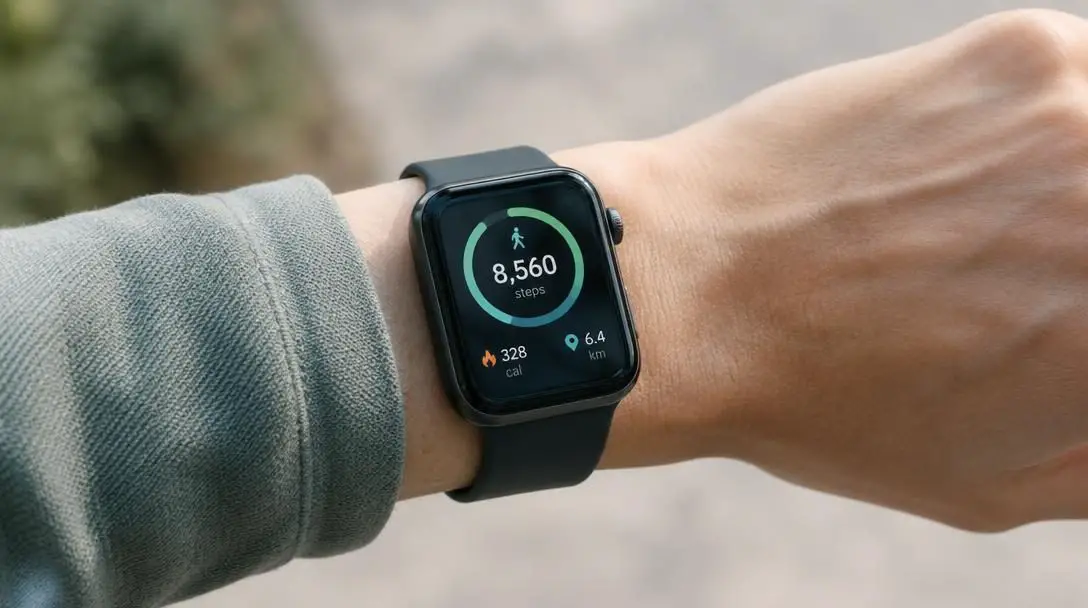
Personal safety represents one of the most significant arguments for keeping a connected computer strapped to your wrist. Several modern models, including newer Apple Watch editions, incorporate sensitive internal drop sensors capable of detecting sudden, violent impacts typical of a hard fall. If the device recognizes a severe impact followed by an extended absence of movement, it can automatically initiate a call to local emergency response services and relay your current geographical coordinates.
Even if you choose a model that lacks automated fall detection capabilities, simply wearing an SOS-capable device provides peace of mind. If you slip on ice, suffer a medical episode, or encounter an unsafe situation where your mobile phone is just out of arm's reach or trapped in a zipped bag, you can still trigger an outgoing emergency call directly from your wrist.
Stay connected
Smartphones have made staying informed effortless, but they have also created widespread social friction. Constantly reaching into a pocket to pull out a heavy glass screen can be disruptive during professional meetings, awkward during intimate family dinners, and distracting when trying to focus on complex projects. Wearing your notifications drastically reduces the impulse to check a handheld screen incessantly.
A smart watch syncs with your phone's primary messaging tools, email accounts, and social applications, delivering gentle tactile vibrations to let you know when an incoming communication arrives. A fast glance at your wrist lets you evaluate whether a message requires immediate attention or can be safely ignored. By taking advantage of built-in silent and do not disturb modes, you retain complete authority over when and how digital alerts enter your personal space.
Get directions
Navigating unfamiliar neighborhoods, city sidewalks, or cycling routes can be awkward and potentially hazardous if you are forced to hold a smartphone continuously in front of your face. Walking while looking down into a screen decreases your situational awareness and exposes expensive electronics to accidental drops or theft.
Smart watches eliminate this friction by delivering turn-by-turn directions directly to your wrist using built-in GPS hardware. You can check the path toward your destination with a split-second glance. Many modern operating systems go a step further by using rhythmic vibration sequences: specific haptic taps let you know whether you should execute a left turn or a right turn before you even reach the upcoming intersection, allowing you to keep your head up and your hands free.
How the underlying technology works
The practical utility of a companion wearable relies on a compact arrangement of miniaturized hardware components, specialized wireless protocols, and dedicated sensor systems working in close coordination.
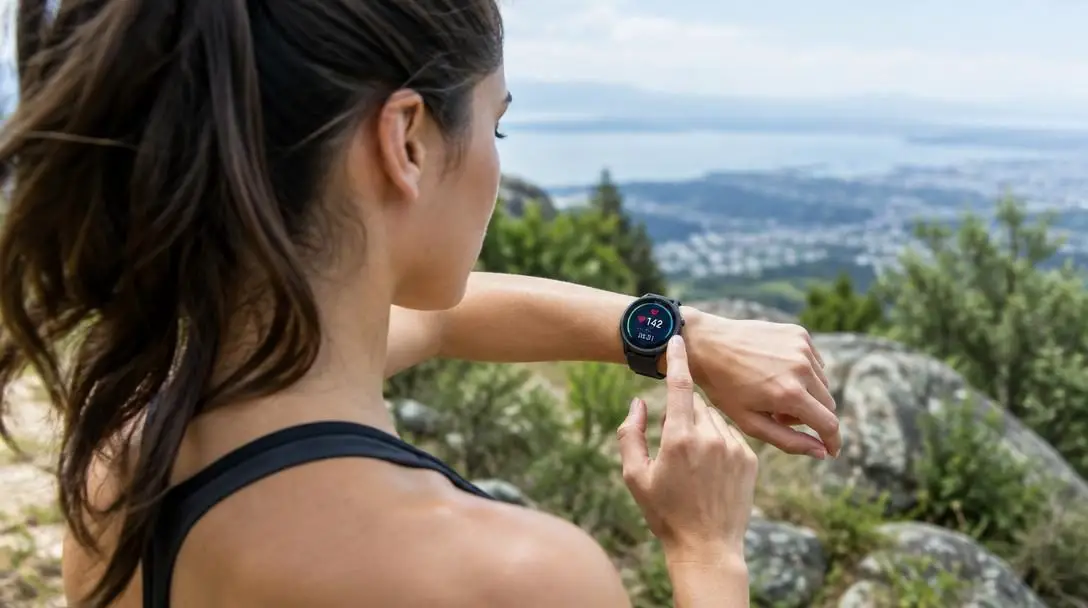
Optical biosensors and photoplethysmography form the foundation of wrist-based health monitoring. The underside of the watch casing contains miniature light-emitting diodes (LEDs) and paired photodetectors that rest directly against the surface of your skin. By pulsing light into the capillaries beneath the epidermis and measuring how much light bounces back, the system detects micro-variations in blood volume. The watch's processor analyzes these reflected pulses to calculate real-time heart rates, estimate blood oxygen saturation levels, and chart cardiovascular recovery.
Micro-electro-mechanical systems (MEMS), including multi-axis accelerometers and gyroscopes, measure physical motion and spatial orientation. These sensors detect the difference between a casual arm swing, rhythmic running strides, and the abrupt acceleration profile associated with an accidental fall. Companion algorithms continuously process this movement data alongside physiological feedback to assess whether you are awake, experiencing restless sleep, or cycling through deep REM phases.
Short-range wireless radios maintain an energetic, secure data link between the watch and your primary smartphone. Using energy-efficient Bluetooth connections alongside local Wi-Fi frequencies, the devices swap notification data, synchronization records, and location signals. When you trigger the device finder, the watch issues an immediate instruction over this short-range wireless pipeline, commanding the phone's speakers to sound an alarm.
Haptic feedback engines replace or supplement loud audible rings with mechanical physical sensations. Miniature linear resonant actuators inside the watch chassis tap against your wrist with distinct, programmed vibrations. This tactile interface allows the watch to communicate discreetly during quiet events, supply turn directions without speech, and alert you to incoming calls without creating ambient noise.
Setting up your new smart watch
To ensure your wearable operates reliably without overwhelming your daily life, follow a systematic approach when pairing and configuring your device for the first time.
- Charge the wearable device completely on its included charging cradle before initiating the initial power sequence.
- Launch the manufacturer's official companion application on your smartphone and ensure both Bluetooth and Wi-Fi connections are active.
- Follow the on-screen alignment prompts, such as scanning a visual code with your phone's camera, to pair the two devices securely.
- Enter accurate baseline metrics into your companion health profile, including your precise age, sex, height, and body weight, to ensure proper calculation algorithms.
- Configure your emergency parameters by inputting trusted emergency contacts and turning on fall detection tools if your specific model provides them.
- Review your device notification permissions, muting non-essential marketing, games, and low-priority social applications while preserving critical messaging channels.
- Test the audible phone-locator control and familiarize yourself with toggling silent mode or do not disturb before your first outing.
- Establish a regular daily charging window, such as during your morning shower or while working at a desk, so the battery remains sufficiently charged for overnight sleep tracking.
Mistakes that undermine smart watch performance
Many first-time wearable owners encounter avoidable frustrations during their first few weeks of ownership. Being mindful of these standard pitfalls will help you get maximum value from your equipment:
- Wearing the watch band too loosely: Optical health sensors require consistent, stable skin contact to read blood volume fluctuations accurately. A strap that allows the watch to slide around will cause dropped pulse data, missing blood oxygen numbers, and inaccurate sleep cycle charts. Fasten the band securely just above your wrist bone.
- Succumbing to notification fatigue: Allowing every mobile application on your smartphone to push alerts directly to your wrist will quickly make wearing a smart watch irritating. Be strict about disabling alerts for non-urgent software.
- Forgetting to use quiet modes: Smart watch screens are designed to light up automatically when you tilt your wrist. Failing to activate silent or theater modes during live performances, cinema screenings, or formal presentations can create awkward disruptions.
- Attempting self-diagnosis: While onboard biosensors produce detailed reports regarding heart rates, oxygenation trends, and rest intervals, smart watches are lifestyle instruments rather than diagnostic laboratory tools. Never alter medication or self-treat conditions without consulting a medical doctor.
- Depleting the battery with unmanaged GPS: Running active sports tracking or continuous turn-by-turn navigation consumes battery life far more rapidly than passive background monitoring. Check your battery percentage before embarking on extended bike rides or hikes.
Key factors to consider before choosing a wearable
Because smart watches are designed to operate as companion devices, your current digital ecosystem is the most critical factor to examine before purchasing. A device like the Apple Watch provides seamless integration with iOS software, automated emergency dialing, and comprehensive hardware synchronization, but it requires an iPhone to set up and operate. If you use an Android smartphone, you will want to look at cross-platform alternatives that communicate natively with your existing hardware and services.
Your lifestyle and personal budget should dictate which hardware specifications you prioritize. If your primary goal is to monitor daily steps, track nightly sleep cycles, and ping your misplaced phone around the house, an affordable entry-level wearable will comfortably handle those needs. Conversely, if your routine includes endurance sports, backcountry hiking, or a need for high-end automated safety sensors capable of detecting serious falls, investing in a premium model with dedicated GPS radios, rugged materials, and advanced biosensors is well worth the added cost.
Frequently asked questions
Can a smart watch completely replace my smartphone?
No, smart watches are designed to work alongside your mobile phone rather than replace it entirely. While some advanced models can make calls and send messages without your phone nearby, the wearable's small screen and compact battery make it a companion tool meant to streamline quick interactions rather than a full replacement for a handheld computer.
How do smart watches monitor heart rate and blood oxygen levels?
Smart watches utilize optical biosensors located on the underside of the casing. These sensors project light directly into the blood vessels beneath your skin and measure how that light reflects back. By analyzing micro-variations in blood volume with each heartbeat, the watch calculates your real-time pulse and blood oxygen saturation.
Will a smart watch locate my phone if the phone is set to silent?
Yes. The device-finding feature built into modern smart watches sends a direct wireless signal commanding the paired phone to bypass its silent mode settings and play an audible chime at high volume, making it easy to pinpoint where the device is hiding.
How does automated fall detection work on a wearable?
Watches equipped with fall detection, such as newer Apple Watch editions, rely on integrated drop sensors, gyroscopes, and accelerometers. These components monitor for sudden, violent downward acceleration and impact signatures, followed by an absence of movement, triggering an automated emergency call if the user does not dismiss the prompt.
Do I need to wear my watch while sleeping to track sleep cycles?
Yes, your smart watch must be worn securely against your wrist throughout the night so its optical sensors and motion trackers can record physiological changes and movement patterns. This physical contact allows the watch algorithms to identify periods of light rest, deep sleep, and REM phases.
The bottom line
A smart watch is far more than an electronic novelty or a redundant miniature smartphone screen. By positioning sensitive optical monitors, reliable GPS radios, emergency drop detectors, and filtered notification channels directly against your skin, a wearable bridges the gap between your physical body and your broader digital life.
Whether you want to track your nightly sleep patterns to share with your doctor, navigate new city blocks without stumbling over a handheld screen, or simply find your phone with a quick tap, adding a smart watch to your daily routine delivers genuine practical value. When configured with clear notification boundaries and worn comfortably, it quickly becomes an indispensable tool for personal health, productivity, and peace of mind.