Basics Of Creating A Website For Publishing Content

In today's digital landscape, establishing an independent website is essential for any creator, entrepreneur, or business seeking a direct connection with readers. A standalone website functions as a centralized digital home base where publishers retain ownership of their message, showcase portfolios, or distribute products without depending completely on the volatile algorithms of third-party social platforms.
While the earliest eras of web publishing demanded specialized coding expertise, manual server configuration, and tedious file transfers, modern publishing platforms have simplified the process. Today, intuitive site builders and organized content management systems allow anyone to structure, launch, and maintain a professional site. Understanding how the underlying components fit together enables publishers to make informed technical and strategic choices.
Key takeaways
- A functional web property relies on the synchronized interaction of a registered domain name, server hosting, a content management system, and front-end theme design.
- Identifying your core objective—whether editorial blogging, commercial retail, portfolio display, or corporate representation—dictates your software selection and layout priorities.
- Platforms range from flexible, self-managed systems like WordPress to streamlined, hosted solutions like Squarespace, Wix, and Shopify.
- Prioritizing user experience through clear navigation menus, readable typography, and responsive mobile rendering directly improves visitor retention.
- Publishing valuable content must be paired with consistent distribution, search optimization, and performance tracking to grow a durable audience.
How Modern Content Publishing Websites Work
To operate and oversee a web publication effectively, creators must understand the mechanics operating beneath the surface. When a reader opens an article on their screen, several distinct technologies work in unison to retrieve, format, and deliver that content in seconds.
The foundation rests on four primary architectural components:
- The Domain Name: Your domain serves as the human-readable digital address (such as www.yourwebsite.com). When a user types this address into their browser, the global domain naming system translates the text into an underlying numerical server address so the browser knows where to navigate.
- The Web Hosting Provider: The hosting provider is the dedicated computer server where your actual website files reside. It houses your written text, media files, stylesheets, and functional code, keeping them accessible to visitors around the globe at all hours.
- The Content Management System (CMS): This software layer gives creators an intuitive interface to draft, edit, organize, and categorize articles. It bridges the gap between your raw storage database and the published presentation visible to the public.
- The Front-End Interface: When a visitor loads a page, their web browser interprets the instructions provided by the CMS theme, rendering typography, visual media, spacing, and navigation elements according to your design specifications.
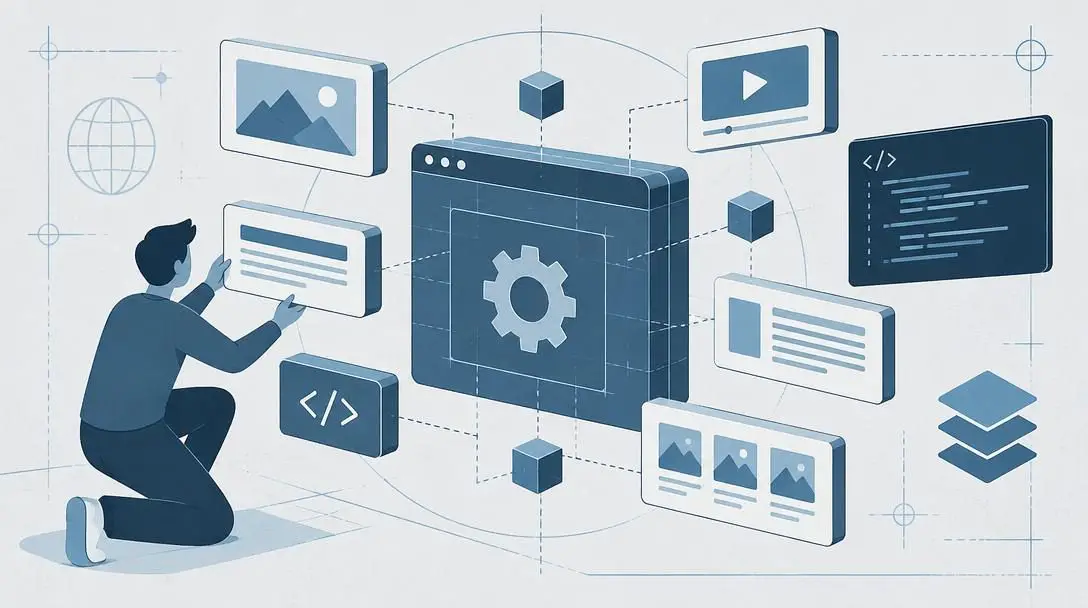
A website functions as a central hub where creators can communicate directly with an audience without relying entirely on third-party networks.
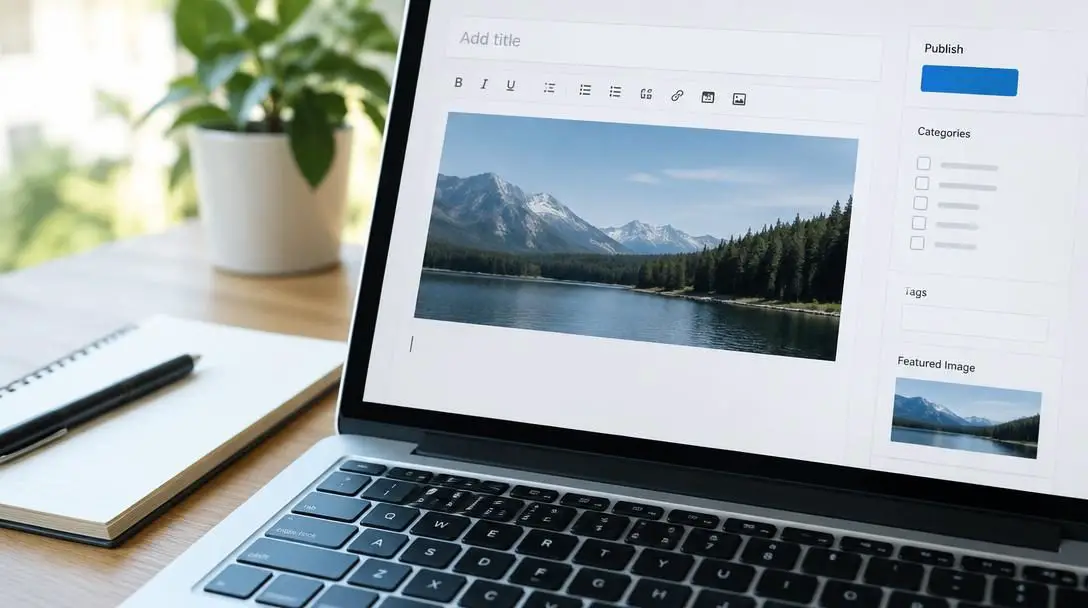
When these core components are properly integrated, daily publishing becomes effortless. An author simply enters text into a visual editor, applies formatting, and clicks publish. The platform takes care of updating database archives, refreshing index feeds, and formatting the entry for readers across different screen sizes.
Determining Your Publishing Goals and Strategy
Before selecting software or paying for hosting services, a publisher must clarify the website's ultimate purpose. A web property built without a definitive mission often turns out disorganized, confusing visitors and obscuring essential material. Aligning your strategic objective early informs every subsequent design and software choice.
Most content sites fall into one of four primary functional models:
- Editorial Blogging: Sites focused on writing, personal commentary, journalism, or instructional guides need simple, highly legible reading layouts, intuitive topical categories, and clean text formatting.
- Online Commerce: Digital storefronts that distribute physical products, downloadable files, or subscription packages require secure transaction gateways, structured catalog indexing, and straightforward checkout paths.
- Creative Portfolios: Photographers, illustrators, and freelance writers require visual galleries, concise case studies, and prominent contact methods designed to convert prospective clients.
- Business Presence: Corporate and service-oriented organizations must prioritize straightforward explanations of operational offerings, physical locations, operating hours, and inquiry forms.
Choosing the Right Publishing Platform
The software powering your website determines your administrative workflow, technical flexibility, and long-term operating costs. Different site builders cater to varying technical proficiencies and functional requirements.
| Platform | Hosting Type | Primary Strength | Ideal Use Case |
|---|---|---|---|
| WordPress | Independent / Self-hosted | Extensive code control and flexibility | Content-heavy blogs and customized publications |
| Squarespace | Bundled / Integrated | Polished, designer-made visual layouts | Portfolios and visual creative publications |
| Wix | Bundled / Integrated | Unrestricted drag-and-drop design freedom | Beginners seeking visual layout control |
| Shopify | Bundled / Integrated | Comprehensive retail and transaction tools | Dedicated e-commerce stores and merchandise hubs |
WordPress
- Platform Category: Open-source content management system
- Hosting Environment: Self-hosted through independent providers
- Core Strength: Deep customization of code, databases, and third-party extensions
- Primary Consideration: Requires greater technical knowledge for setup, security, and updates
Powers an enormous share of the global internet due to its limitless adaptability. WordPress gives publishers complete ownership over their files, databases, and functional architecture. It accommodates intricate editorial configurations, custom taxonomies, and thousands of external extensions. However, this flexibility requires users to take an active role in software updates, server configurations, and site security maintenance over time.
Squarespace

- Platform Category: Integrated visual site builder
- Hosting Environment: Bundled directly into the service subscription
- Core Strength: Polished, professionally curated presentation templates
- Primary Consideration: Reduced structural customization compared to open-source software
Prioritizes cohesive aesthetics and low-friction management. Squarespace packages server infrastructure, responsive themes, and maintenance duties into an all-in-one subscription model. Non-technical writers and visual artists can publish work quickly with dependable aesthetic consistency, though advanced developers may find the boundaries around custom database configurations limiting.
Wix

- Platform Category: Drag-and-drop website builder
- Hosting Environment: Bundled directly into the platform
- Core Strength: Total freeform visual placement without writing code
- Primary Consideration: Structural limitations when expanding into complex custom databases
Emphasizes visual flexibility through an intuitive canvas interface. Wix allows creators to place text boxes, media players, and decorative elements precisely where they want on the page without technical development. While exceptionally friendly for beginners building straightforward sites, large-scale publications may face challenges when trying to implement complex custom features or migrate their archives to other software down the line.
Shopify

- Platform Category: Dedicated commercial e-commerce engine
- Hosting Environment: Bundled hosting infrastructure
- Core Strength: Inventory tracking, order workflows, and payment processing
- Primary Consideration: Tailored primarily for commercial retail rather than editorial articles
Engineered from the ground up to support merchant sales and retail management. Shopify supplies reliable infrastructure for product variants, financial transaction handling, shipping computations, and customer database management. While it includes basic content publishing functionality, its framework is designed primarily for selling products rather than supporting editorial storytelling.
Establishing Your Domain and Hosting Infrastructure
Your domain address and web hosting constitute the physical foundation of your site. If you select an all-in-one platform such as Squarespace, Wix, or Shopify, hosting is automatically provisioned and managed within your monthly service plan. If you opt for an open-source solution like WordPress, you must evaluate and contract with an independent server host.
When selecting independent hosting, prioritize the following technical criteria:
- Server Reliability: Look for consistent uptime records to ensure your content remains accessible around the clock.
- Page Loading Speeds: High-performance server hardware reduces load times, keeping bounce rates low.
- Security Protections: Automatic security certificates, firewall filters, and malware scanning shield your property from malicious attacks.
- Scalable Resources: The server must accommodate traffic spikes as your publication library expands and gains readers.
- Responsive Support: Reliable customer support helps resolve critical server disruptions quickly.
Designing for User Experience and Accessibility
Effective web design reaches far beyond picking pleasing color schemes and modern fonts. User experience (UX) focuses on how intuitively a visitor navigates, consumes, and interacts with your material. When design is structured around reader habits, engagement times increase and visitors return more frequently.
Incorporate these core design standards into your site layout:
- Intuitive Navigation Menus: Organize your site directory into logical categories. Keep your primary navigation bar visible at the top of every page so readers can jump between main categories, the about section, and contact pages in a single click.
- Clear Visual Hierarchy: Break up long-form text with distinct headings, subheadings, and ample white space. Dense blocks of unbroken text strain reading patience, while structured scannable passages help readers find relevant sections quickly.
- Mobile Responsiveness: A massive share of all digital traffic originates on handheld smartphones and tablets. Verify that your site theme adjusts automatically to varying screen widths, maintaining legible text sizes and accessible touch targets without requiring horizontal scrolling.
- Readable Typography: Select clean, high-contrast typefaces that display legibly across all screen types and ambient lighting conditions.
Step-by-Step Implementation Guide
Launching a content website requires completing a sequence of foundational technical and creative tasks. Moving through these steps systematically prevents technical misconfigurations and design oversights.

- Define the Core Purpose: Establish the central mission of your publication, determining whether it functions as a blog, an online storefront, a professional portfolio, or a business landing page.
- Select Your System: Choose the publishing platform—such as WordPress, Squarespace, Wix, or Shopify—that aligns with your technical capabilities and functional requirements.
- Register the Address: Secure an intuitive, memorable domain name through an authorized domain registrar or directly within your chosen software platform.
- Set Up Web Hosting: Connect your domain to your hosting server, or complete the initial account provisioning for an all-in-one hosted service.
- Install a Base Theme: Pick a clean, responsive template that complements your visual brand and supports your preferred article formats.
- Configure Basic Settings: Establish your site title, timezone, administrative contact information, default language, and baseline privacy parameters.
- Construct Core Pages: Assemble essential foundational pages, including an informative home page, a descriptive about page, and a functional contact portal.
- Test Usability: Check all interactive elements, review navigation across mobile and desktop displays, and confirm form delivery prior to public announcement.
Creating and Structuring Valuable Content
Once the technical foundation is in place, the editorial focus begins. Valuable content solves problems, answers questions, or delivers engaging analysis to a targeted audience. The enduring authority of your publication relies on the depth, clarity, and consistency of what you produce.
When drafting articles, prioritize editorial clarity. Use straightforward language, break concepts down into digestible subheadings, and highlight actionable points with structured lists. Maintaining a steady publishing cadence is equally important. Publishing updates consistently signals to your audience and search engine indexing systems that your publication is active, dependable, and worth checking regularly.
Promoting Your Content Across Multiple Channels
Even exceptional writing will go unread if audiences do not know your website exists. Growing a readership requires an active promotional approach that draws new visitors from existing digital communities.
Focus promotional efforts on four essential marketing channels:
- Social Media Communities: Share highlights, excerpts, and discussion prompts on platforms like Facebook, Twitter, and Instagram to channel engaged users back to your primary site.
- Email Marketing: Invite visitors to join a private email newsletter list. Regular email dispatches bypass third-party algorithm updates, delivering content straight to your readers' inboxes.
- Search Engine Optimization: Format your written material using descriptive headings, natural phrasing, and logical structures so search engines can categorize your pages for relevant user searches.
- Paid Advertising Campaigns: Run targeted advertising campaigns to bring prospective readers or buyers directly to important articles, products, or landing pages.
Common Mistakes to Avoid
New publishers frequently encounter common pitfalls that hurt their website's performance and turn visitors away. Being mindful of these frequent mistakes will save development hours and protect reader engagement.
- Overcomplicating the Design: Crowding the screen with competing color palettes, jarring font pairings, and unnecessary animations distracts readers from your written material. Clean, minimal layouts consistently outperform cluttered alternatives.
- Ignoring Page Loading Speeds: Adding uncompressed, high-resolution image files directly to articles slows page loading times. Readers regularly leave pages that take too long to open.
- Neglecting Mobile Users: Building and reviewing layouts exclusively on a wide desktop screen often results in broken menus or awkward text wraps on mobile devices. Always check your layouts on smaller displays.
- Failing to Maintain Backups: Publishers using self-managed systems who skip regular automated backups risk losing their entire content archive during server disruptions or software conflicts.
- Inconsistent Publishing Cadence: Sharing a sudden cluster of posts followed by several months of inactivity makes it difficult to cultivate loyal, recurring readership habits.
Monitoring Performance and Refining Your Strategy
Launching a website is an ongoing process rather than a one-time project. Once your site is live and receiving visitors, review its performance metrics regularly. Most modern platforms provide integrated analytics dashboards that track page impressions, unique visits, bounce rates, and traffic sources.
Reviewing these analytics reveals which subjects resonate most with your audience, which promotional channels send the highest-quality traffic, and which pages retain attention the longest. Use these insights to refine your editorial calendar, remove underperforming elements, and double down on the topics your readers care about most.
Frequently asked questions
Do I need to know how to code to build a website today?
No. Modern platforms such as Squarespace, Wix, Shopify, and WordPress provide visual editors and pre-built templates that enable creators to publish content without writing custom code.
What is the difference between a domain name and web hosting?
A domain name serves as the human-readable digital address visitors enter into their browser, whereas web hosting provides the server storage where your actual website files, text, and images live.
Which platform should I choose for an editorial blog versus a digital store?
Editorial blogs benefit most from content-focused systems like WordPress or Squarespace, which emphasize typography and reading layouts. Digital stores are best suited to dedicated retail platforms like Shopify, which include integrated inventory and transaction management tools.
Why is mobile responsiveness so critical for content websites?
A significant portion of web traffic arrives through mobile phones and tablets. A responsive design ensures pages adjust smoothly to small screens, maintaining readable text and easy navigation without horizontal scrolling.
How can I prevent my website pages from loading slowly?
Avoid uploading large, uncompressed image files, keep your design clean by limiting unnecessary animations or extensions, and select a reliable hosting provider with high-performance server hardware.
The bottom line
Building a successful content publishing website does not have to be an overwhelming technical challenge. By clearly defining your publication goals, choosing a platform that matches your workflow, structuring layouts with the reader experience in mind, and sharing your work across reliable marketing channels, anyone can launch an independent online presence. With a solid foundation in place, your website can grow into a dependable home for your writing, business offerings, and creative ideas.