IP Addresses and DNS: Understanding The Basics
The modern internet is a vast and intricate global system composed of billions of interconnected devices. From traditional desktop workstations and portable laptops to mobile smartphones, tablet computers, and modern smart speakers, digital equipment is constantly exchanging information across borders and continents. Whether an individual is sending an email message, loading an informative digital article, streaming video content, or operating an automated smart home utility, these activities rely fundamentally on data moving swiftly and reliably across physical cables, cellular towers, and wireless radio waves.
For this enormous digital web to function properly without degenerating into complete chaos, devices require established protocols, standardized naming rules, and distinct identification mechanisms. Every time data moves across the globe, the sending device must specify precisely where the message originates and where it is destined to go. At the heart of this communication infrastructure lie two primary, complementary concepts: the Internet Protocol address (IP address) and the Domain Name System (DNS). Together, these systems bridge the natural divide between the numerical calculations required by digital processors and the intuitive language utilized by human beings.
Key takeaways
- An IP address serves as a distinct numerical coordinate that allows routers and switches to direct traffic accurately between connected devices.
- Dynamic IP addresses are leased temporarily by internet service providers, whereas static IP addresses remain permanently assigned by network administrators.
- The Domain Name System acts as a global directory, translating human-friendly web names into machine-readable numerical IP addresses.
- Outbound web requests require both a target destination IP and the requesting device's return IP address to complete a two-way data exchange.
- Network diagnostic utilities such as ping and traceroute allow users to isolate connection drops, measure latency, and identify routing bottlenecks.
Understanding IP addresses: how devices identify themselves
At the most fundamental network tier, every piece of hardware that links to the digital network must possess a unique identifier. This label is known as an Internet Protocol address, or IP address. It functions as a numerical tag assigned to hardware so that other equipment can locate it, initiate a conversation, and transfer files or messages back and forth across the globe without sending packets to the wrong destination.
In standard everyday usage, an IP address is composed of a sequence of four numbers separated by dots, written out in a pattern like 192.168.1.1. Each individual section represents a specific segment of numerical data that routing hardware evaluates to determine the geographic or systemic location of a machine. Without these clear numerical tags, internet routers and switches would have no mechanism for sorting data streams or ensuring that information reaches the correct user.
When you sit at a computer, open a web browsing application, and enter a site address into the navigational bar, your machine initiates an outbound request. This request travels across the network to the specific web server that hosts that platform, asking the remote machine to deliver the site files, graphics, and layout instructions back to your personal screen. In order to complete this transaction, the remote server needs to know your exact digital coordinates. Your computer provides its own IP address alongside the request, allowing the remote web server to package the files, direct them across intermediate communication pathways, and deliver them directly back to your device.
Because network structures and user requirements vary greatly across different environments, IP addresses are not always assigned in the exact same manner. Broadly speaking, they fall into two distinct functional categories:
Dynamic IP addresses
These temporary identifiers are routinely assigned to client devices by an internet service provider, commonly called an ISP. A dynamic address is not set in stone; instead, it can change periodically, such as whenever an individual reboots their home router, disconnects and reconnects their equipment, or reaches the end of an automated assignment lease issued by the internet service provider. This approach allows providers to recycle numerical addresses efficiently across large residential subscriber pools.
Static IP addresses
Unlike dynamic configurations, static addresses are fixed identifiers assigned manually by a system or network administrator. A static IP address does not fluctuate or shift automatically over time. Once configured, it remains permanently associated with that specific machine or interface until the network administrator deliberately logs in and alters the setting manually. This stability makes static addressing essential for servers, remote gateways, and networked infrastructure that must remain accessible at identical coordinates indefinitely.
| Identifier type | Assignment method | Permanence | Primary operational role |
|---|---|---|---|
| Dynamic IP address | Automated lease via ISP or local router | Temporary; changes periodically or after hardware reboot | Client workstations, laptops, mobile phones, and general browsing |
| Static IP address | Manual configuration by network administrator | Permanent; remains fixed until deliberately updated | Web hosting servers, shared office printers, and file repositories |
| Domain name (DNS entry) | Registration mapped to an IP inside DNS records | Persistent; points to designated numerical coordinates | Human-readable navigation labels (such as www.google.com) |
Understanding DNS: the internet's translation directory
While numerical IP addresses are completely indispensable for digital hardware and computerized routing mechanisms, they present a significant challenge for ordinary human memory. A digital machine operates smoothly when handling long strings of numbers, but humans struggle to memorize dozens of arbitrary numerical combinations just to perform regular daily activities. For example, it is substantially simpler for an individual to remember a descriptive name like www.google.com than it is to recall an abstract numerical string such as 172.217.10.174.
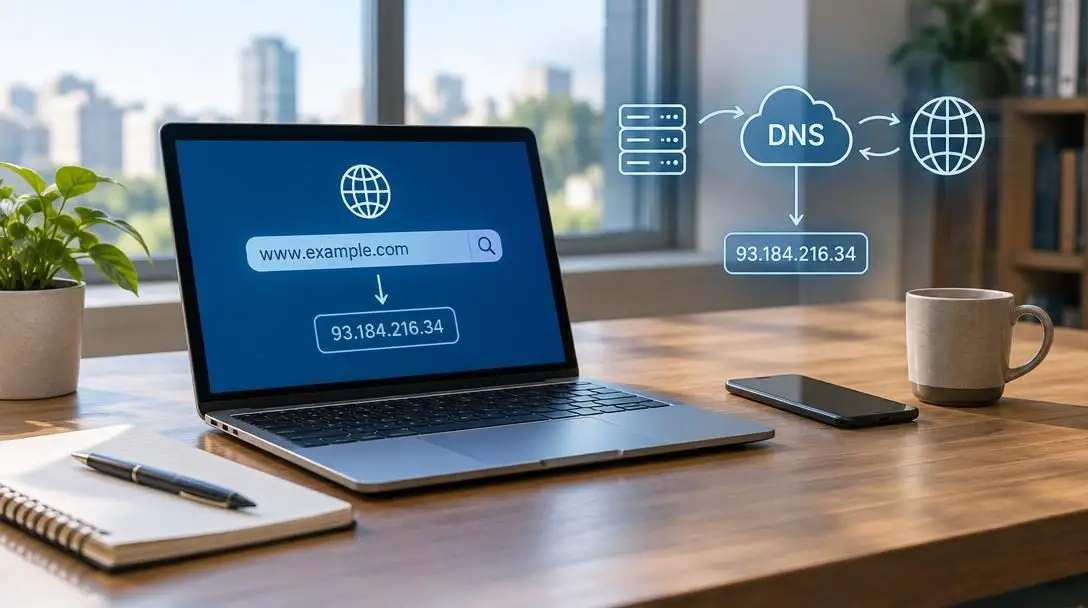
This functional mismatch between human memory and computational addressing is precisely why the Domain Name System was created. DNS is an organized, distributed translation system whose central responsibility is to convert user-friendly, human-readable domain names into the raw numerical IP addresses that computers, routers, and servers rely upon to communicate.
The Domain Name System acts as a comprehensive directory for the entire global web, bridging human language and machine computation.
The Domain Name System acts as a comprehensive directory for the entire global web. When a person types a standard domain name into a browser, the client machine does not immediately know which physical machine hosts the requested site. To discover that information, your computer automatically creates and transmits an inquiry known as a DNS query, sending it straight to a designated DNS server to request the matching IP address associated with that human-readable name.
Upon receiving the inbound request, the DNS server consults its database of recorded domain entries and their corresponding numerical addresses. Once the server identifies the matching record, it replies to your computer with the verified IP address. Having obtained the exact numerical destination, your web browser can then contact the remote server directly, establish a data exchange, and load the requested site content onto your display screen.
The step-by-step connection flow
The interaction between personal computers, DNS servers, and website hosts happens behind the scenes in a fraction of a second. To appreciate how smoothly these protocols interact during daily online activities, consider the chronological path that an outbound web request follows from the moment you interact with your browser to the moment content appears on your screen:
- Entering the domain name: The workflow begins when an individual enters a web address, such as www.google.com, into the navigation address bar of an internet browser and hits the enter key.
- Dispatching the DNS query: Because the user's computer does not inherently know where the requested platform is hosted, it constructs a translation inquiry and forwards this request to a designated DNS server.
- Database lookup: The DNS server receives the incoming query and searches through its internal databases and records to locate the specific IP address connected to the submitted domain name.
- Returning the IP address: Once the correct mapping is established, the DNS server dispatches the numerical address—such as 172.217.10.174—back to the user's requesting device.
- Initiating the direct connection: Armed with the accurate destination address, the user's computer sends a direct message across the network to the hosting server's IP address, asking for the web page files. As part of this outbound transmission, the user's machine also includes its own dynamic or static IP address.
- Fulfilling the request: The web hosting server processes the incoming request, references the client's return IP address, and sends the requested text, media, and interface data back across the internet to the user's device, which then renders the complete web page on the screen.
Core benefits of understanding IP addresses and DNS
Developing a working comprehension of IP addresses, domain resolution, and underlying protocols offers significant advantages for both casual technology users and technical professionals. Mastering these basic concepts enables individuals to manage their digital environments with greater precision, confidence, and efficiency across several key operational areas:
- Improved security: Having a clear understanding of IP addressing enables network users to monitor data traffic flowing into their private systems. If an unfamiliar or suspicious IP address is spotted attempting to gain entry to your local network, you can take immediate defensive steps to block that specific numerical address, effectively shielding internal hardware and shutting down unauthorized connection attempts.
- Improved performance: The choice of DNS server directly influences how quickly online pages begin to load. When a DNS server is poorly optimized, physically distant, or burdened by operational strain, the translation step can suffer from noticeable latency or fail altogether with lookup errors. By deliberately selecting a fast, stable, and reputable DNS server, users can enhance general browsing speeds and minimize irritating lookup failures.
- Efficient network management: System administrators and home network managers rely heavily on address tracking to keep their digital infrastructure running smoothly. By regularly evaluating assigned IP addresses and keeping an eye on DNS lookup patterns, managers can rapidly identify anomalous behavior, recognize device conflicts, and troubleshoot operational bottlenecks with speed and accuracy.
- Troubleshooting internet connectivity: When a specific website stops loading, novice users often assume their entire internet connection has failed. However, a user who understands network layers can employ command-line diagnostic tools such as ping and traceroute. These utilities send small test packets to target IP addresses, enabling the user to systematically evaluate whether an interruption lies within their own local equipment, along the ISP routing path, or directly at the remote web host.
- Working with core internet protocols: Comprehensive knowledge of IP addresses and DNS translation is mandatory for anyone looking to build, design, or maintain modern web applications. Broader communication protocols such as the Transmission Control Protocol/Internet Protocol (TCP/IP) suite and the Hypertext Transfer Protocol (HTTP) are built on top of IP routing and DNS lookups. Professionals who manage or build systems around these protocols must know how addresses are assigned and resolved to ensure digital platforms operate smoothly.
Practical steps: monitoring and managing network settings
Applying the core principles of IP addressing and domain resolution does not require enterprise-level hardware. Everyday users can interact with these systems directly on their home computers and office workstations by taking a few structured, practical actions:
Examine your device IP address
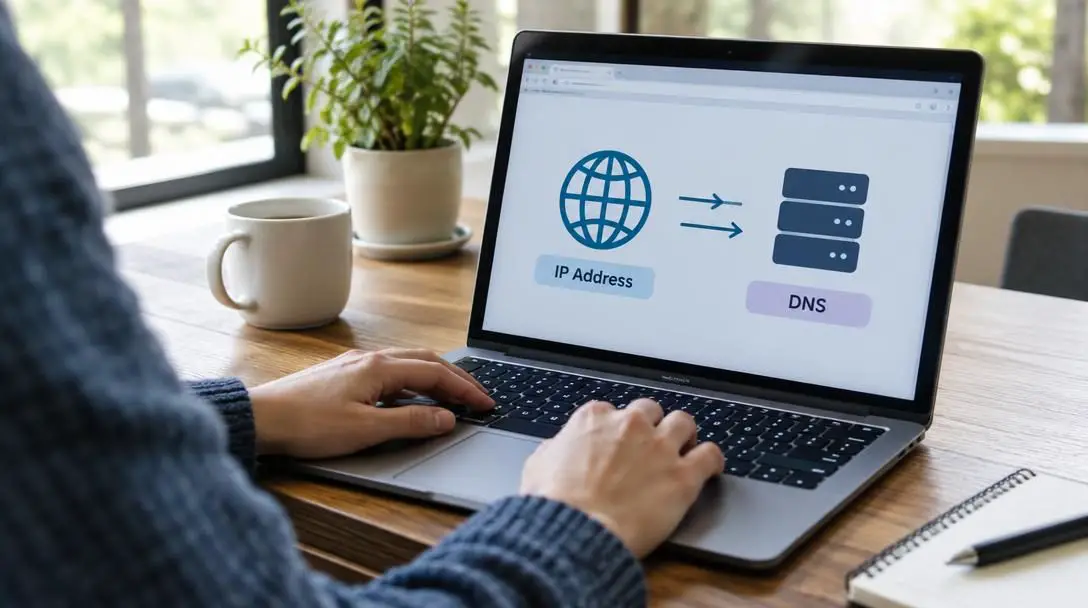
Take time to inspect the networking status screen on your personal computer or mobile phone. By viewing your hardware properties, you can verify whether your machine is using a dynamic address issued automatically by your local router or if it has been assigned a permanent static address by an administrator.
Test target accessibility with ping
When a platform appears unresponsive, open your operating system's command console and run the ping utility against the destination address or domain name. Observing whether the transmitted test packets return successfully—and measuring the time it takes for them to travel back—will help you immediately see whether the remote system is reachable.
Trace the network route with traceroute
If latency is high or a server is unreachable, use the traceroute utility (often typed as traceroute or tracert depending on your operating system). This tool traces each intermediate router along the communication path, printing out the IP address of every relay hop. Reviewing this output makes it easy to spot where delays or connection drops are taking place.
Select an alternate DNS provider
If you find that websites take an excessive amount of time to begin loading, check your operating system or local router settings to see which DNS server handles your queries. Many internet service providers assign their own default servers, but you can manually enter alternative, high-performance DNS server IP addresses to achieve faster and more reliable name resolution.
Audit connected hardware
Periodically access your local network router's administrative dashboard to review the list of every active IP address currently leased on your system. Doing so allows you to identify all connected smart speakers, computers, and mobile devices, helping you detect any unauthorized equipment tapping into your bandwidth.
Common mistakes to avoid
Because networking concepts involve invisible digital exchanges, it is easy to make incorrect assumptions about how these technologies behave. When managing or diagnosing devices, be sure to avoid these frequent pitfalls:
- Assuming dynamic addresses never change: Users frequently configure a shared printer, file storage server, or remote access utility using a dynamic IP address, only to find the service stops working days later. Always remember that dynamic addresses assigned by an ISP or router can change whenever a lease expires or equipment reboots. Dedicated resources that require permanent connectivity should always be given a static IP address.
- Overlooking the role of DNS during outages: When an internet browser displays an error stating that a page cannot be found, people often assume the web server is offline or that their physical internet line is severed. In reality, the issue may simply be an uncommunicative or misconfigured DNS server that is failing to resolve the domain name. Verifying whether you can ping a raw numerical IP address directly can instantly isolate a DNS lookup failure from a general network disconnection.
Frequently asked questions
What is the main difference between an IP address and a domain name?
An IP address is a numerical coordinate (such as 172.217.10.174 or 192.168.1.1) used by network hardware, routers, and servers to route data packets across the internet. A domain name (such as www.google.com) is an intuitive, human-readable text label designed to be easily remembered by people. The Domain Name System translates domain names into numerical IP addresses.
Why do home routers typically assign dynamic IP addresses instead of static ones?
Dynamic addressing allows internet service providers and local routers to automatically allocate and recycle a limited pool of numerical identifiers among connected devices. Because personal computers, phones, and tablets do not host public services that require permanent coordinates, dynamic leasing prevents address conflicts and simplifies network administration.
How does changing my DNS server improve web browsing performance?
Before any web page can load, your computer must first query a DNS server to discover the destination's IP address. If your default internet service provider's DNS server is sluggish, geographically distant, or congested, this translation takes longer. Switching to a faster, well-optimized DNS provider reduces lookup latency and speeds up the start of every connection.
How can I tell if an internet issue is caused by DNS or a severed connection?
You can use the ping tool in your operating system's command console. If pinging a human-readable domain fails to connect, but pinging a known numerical IP address succeeds, your underlying physical internet connection is working, and the failure is specifically occurring during the DNS name resolution stage.
What role do IP addresses play in communication protocols like TCP/IP and HTTP?
Foundational internet protocols like HTTP and the broader TCP/IP suite rely on IP addresses to establish routing paths and manage data delivery. Without verified sender and receiver IP addresses at the network layer, higher-level protocols cannot format, transmit, or receive web page data and media files.
The bottom line
The modern internet operates on a coordinated partnership between numerical routing and human-friendly naming conventions. IP addresses give every phone, computer, and server the precise digital coordinates needed to transmit information across complex physical networks, while the Domain Name System eliminates the impossible burden of memorizing long strings of numbers. By understanding how these mechanisms interact—and by utilizing diagnostic utilities like ping and traceroute—users can troubleshoot unexpected outages, streamline their online performance, and secure their local hardware with confidence.